More browsing paths
Play Madden NFL 2005 (US edition · English) Online
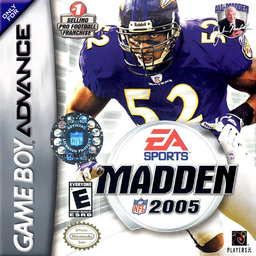
Madden NFL 2005
Play Madden NFL 2005 online on GBA with Play Now and season modes, hot routes, directional jukes, passing and defensive shifts.
Browser play
Game Boy Advance (GBA) — EmulatorJS controls
Default Player 1 keyboard mapping. Change keys in Controller Settings.
| Console button | Keyboard |
|---|---|
| ↑ / ↓ / ← / → | ↑ / ↓ / ← / → |
| A / B | Z / X |
| L / R | Q / E |
| START / SELECT | Enter / V |
Open Controller Settings to configure your keyboard or gamepad. Touch controls are available on mobile.
How to Play Madden NFL 2005
Quick start
Select PLAY NOW, choose home and away teams, place the controller icon over your squad and press A to begin. Pick a formation and play, snap with A and use short throws or runs until the newer sprint and juke controls feel natural. On defense, press A to take the nearest defender and use B sprint to close the distance before tackling.
Controls
Running: D-pad moves, A sprints, B dives, L spins and R+D-pad jukes. Passing: A brings up symbols, then A/B/L/R lobs with a tap or fires a bullet when held. Receiving: B selects nearest receiver, R catches, L dives. Defense: A selects nearest defender, B sprints, R dives, L jumps or uses a swim move. START pauses.
Madden NFL 2005 Game manuals
Cheats
No cheats have been added for this edition.
Player verification and sources
Browser play was reviewed before this edition was published in the catalogue. The date below is the catalogue publication date, not the game’s original release date.
- Browser test and catalogue publication date
- Browsers and devices
- PC: Chrome, Edge and Firefox. Mobile: Chrome on Android and Safari on iPhone and iPad.
- Player engine and core
- EmulatorJS 4.3.0-pre · gba
- Tested by
- rwEmulator
Sources and editorial basis
rwEmulator reviews edition metadata, release information, game manuals and first-hand browser-play notes. Available manuals are linked below; the editorial policy explains how facts are checked and corrections are handled.