More browsing paths
Play Maestro! Jump in Music (Europe edition · English / French / German / Spanish / Italian / Dutch / Portuguese / Swedish / Norwegian / Danish) Online
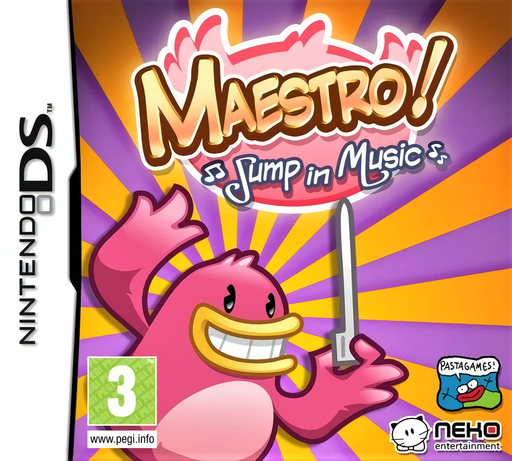
Maestro! - Jump in Music
Play Maestro! Jump in Music online. Pluck strings to guide an auto-running bird through musical platforms and rhythm battles.
Browser play
Nintendo DS (NDS) — EmulatorJS controls
Default Player 1 keyboard mapping. Change keys in Controller Settings.
| Console button | Keyboard |
|---|---|
| ↑ / ↓ / ← / → | ↑ / ↓ / ← / → |
| A / B / X / Y | Z / X / A / S |
| L / R | Q / E |
| START / SELECT | Enter / V |
| Microphone | Not assigned |
Open Controller Settings to configure your keyboard or gamepad. Touch controls are available on mobile.
How to Play Maestro! Jump in Music
Quick start
Choose the first available song on Easy. Watch Presto's next string and pluck upward at its note marker to jump, or downward to drop. Learn a short stretch before trying enemy taps or the other musical gestures.
Controls
Presto moves automatically. Flick a string upward or downward with the DS stylus at its note marker to change platforms. Tap enemies and perform the displayed rubbing or circling gesture in time. Boss patterns ask you to copy the shown sequence of strings and drums.
Maestro! Jump in Music — About this game
Maestro! combines rhythm input with side-scrolling platform movement. Presto walks along musical strings automatically; an upward or downward stylus flick sends him to another height while sounding the note. Tap enemies, rub special objects and trace circles as the music changes its demands. Accurate timing keeps the tune and movement together, while boss encounters ask you to remember and repeat drum-and-string patterns. Begin on Easy and watch the note marker reach the plucking point before acting. Once one stretch feels comfortable, look ahead to the next platform instead of watching only the last note. The full DS cartridge is distinct from a shortened DSiWare selection. Begin with the opening instructions and practice the main interaction before pursuing optional rewards. Read the current objective, make one deliberate choice and watch its effect before repeating it. A short first session makes it easier to separate a missed instruction from a difficult challenge. Return to the available menu when you need to check progress or adjust your approach, then continue from the next clear objective.
Maestro! Jump in Music Game manuals
Cheats
No cheats have been added for this edition.
Player verification and sources
Browser play was reviewed before this edition was published in the catalogue. The date below is the catalogue publication date, not the game’s original release date.
- Browser test and catalogue publication date
- Browsers and devices
- PC: Chrome, Edge and Firefox. Mobile: Chrome on Android and Safari on iPhone and iPad.
- Player engine and core
- EmulatorJS 4.3.0-pre · nds
- Tested by
- rwEmulator
Sources and editorial basis
rwEmulator reviews edition metadata, release information, game manuals and first-hand browser-play notes. Available manuals are linked below; the editorial policy explains how facts are checked and corrections are handled.