More browsing paths
Play Mage Knight: Destiny's Soldier (US edition · English) Online
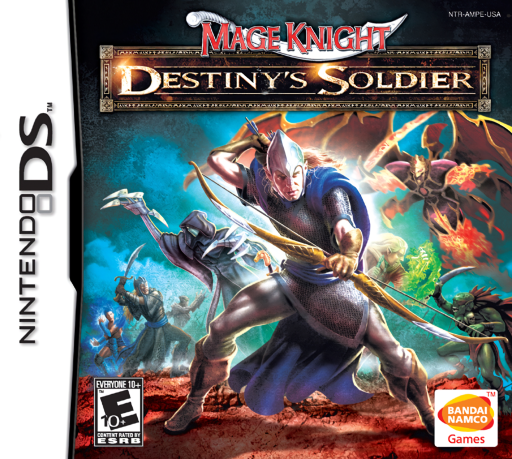
Mage Knight - Destiny's Soldier
Play Mage Knight: Destiny's Soldier online. Command a fantasy army in turn-based battles where injuries change a warrior's abilities.
Browser play
Nintendo DS (NDS) — EmulatorJS controls
Default Player 1 keyboard mapping. Change keys in Controller Settings.
| Console button | Keyboard |
|---|---|
| ↑ / ↓ / ← / → | ↑ / ↓ / ← / → |
| A / B / X / Y | Z / X / A / S |
| L / R | Q / E |
| START / SELECT | Enter / V |
| Microphone | Not assigned |
Open Controller Settings to configure your keyboard or gamepad. Touch controls are available on mobile.
How to Play Mage Knight: Destiny's Soldier
Quick start
Choose a campaign hero and inspect the first army's unit statistics. Use the help panel to learn an icon, place one warrior and take a normal move or attack. Check the changed health and abilities before choosing whether another action is worth pushing the unit.
Controls
Use the DS touch screen to select units and action icons, and drag units when arranging the permitted deployment. Inspect the selected warrior's statistics and built-in help before committing a move, attack or push. End the turn only after checking the remaining actions and objective.
Mage Knight: Destiny's Soldier — About this game
Destiny's Soldier adapts Mage Knight's miniature warfare into a story campaign against the computer. Assemble warriors and creatures, inspect their statistics and take turns moving or attacking while the software handles combat dice. Damage can reduce movement and strength or reveal a unit's different ability; pushing for extra actions costs health, so a fresh warrior and an injured one are not interchangeable. Begin with the first deployment, read the built-in icon help and try an ordinary action before taking that risk. Later sequences may carry the same army through consecutive battles. Army preparation and preserving useful units matter across the solo campaign. Begin with the opening instructions and practice the main interaction before pursuing optional rewards. Read the current objective, make one deliberate choice and watch its effect before repeating it. A short first session makes it easier to separate a missed instruction from a difficult challenge. Return to the available menu when you need to check progress or adjust your approach, then continue from the next clear objective.
Mage Knight: Destiny's Soldier Game manuals
Cheats
No cheats have been added for this edition.
Player verification and sources
Browser play was reviewed before this edition was published in the catalogue. The date below is the catalogue publication date, not the game’s original release date.
- Browser test and catalogue publication date
- Browsers and devices
- PC: Chrome, Edge and Firefox. Mobile: Chrome on Android and Safari on iPhone and iPad.
- Player engine and core
- EmulatorJS 4.3.0-pre · nds
- Tested by
- rwEmulator
Sources and editorial basis
rwEmulator reviews edition metadata, release information, game manuals and first-hand browser-play notes. Available manuals are linked below; the editorial policy explains how facts are checked and corrections are handled.