More browsing paths
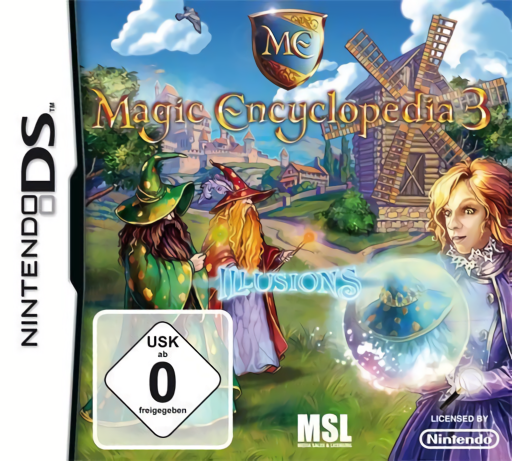
Play Magic Encyclopedia 3 - Illusions (Europe edition · English / French / German / Spanish / Italian / Dutch) Online
Magic Encyclopedia 3 - Illusions
Play Magic Encyclopedia 3 - Illusions online. Find object fragments and uncover altered scenes to help Catherine break an illusion spell.
Browser play
Nintendo DS (NDS) — EmulatorJS controls
Default Player 1 keyboard mapping. Change keys in Controller Settings.
| Console button | Keyboard |
|---|---|
| ↑ / ↓ / ← / → | ↑ / ↓ / ← / → |
| A / B / X / Y | Z / X / A / S |
| L / R | Q / E |
| START / SELECT | Enter / V |
| Microphone | Not assigned |
Open Controller Settings to configure your keyboard or gamepad. Touch controls are available on mobile.
How to Play Magic Encyclopedia 3 - Illusions
Quick start
Begin Catherine's library scene and inspect the incomplete object silhouettes. Find the visible pieces, assemble one usable object and test it at the relevant scene detail. When a view seems impossible, inspect the current illusion-changing tool or mechanism before searching again.
Controls
Tap scene details and requested object pieces with the DS stylus. Select an assembled inventory object before touching its matching use point. Use an available illusion-changing control or tool as instructed, and follow each puzzle's own drag or selection prompt.
Magic Encyclopedia 3 - Illusions — About this game
Illusions sends Catherine to save her magic academy from an illusionist's spell. Instead of merely spotting unrelated clutter, search for fragments of useful objects, assemble them and apply them to mechanisms in the scene. A misleading view can hide the next piece or exit, so changing the illusion through the available tools becomes part of the investigation. Begin in the library by completing one object and testing what it opens. Recheck earlier details after the scene changes and solve the intervening small puzzles to continue. The DS stylus turns the search into deliberate pointing and item use; reading the object panel first helps avoid random tapping. Begin with the opening instructions and practice the main interaction before pursuing optional rewards. Read the current objective, make one deliberate choice and watch its effect before repeating it. A short first session makes it easier to separate a missed instruction from a difficult challenge. Return to the available menu when you need to check progress or adjust your approach, then continue from the next clear objective.
Magic Encyclopedia 3 - Illusions Game manuals
Cheats
No cheats have been added for this edition.
Player verification and sources
Browser play was reviewed before this edition was published in the catalogue. The date below is the catalogue publication date, not the game’s original release date.
- Browser test and catalogue publication date
- Browsers and devices
- PC: Chrome, Edge and Firefox. Mobile: Chrome on Android and Safari on iPhone and iPad.
- Player engine and core
- EmulatorJS 4.3.0-pre · nds
- Tested by
- rwEmulator
Sources and editorial basis
rwEmulator reviews edition metadata, release information, game manuals and first-hand browser-play notes. Available manuals are linked below; the editorial policy explains how facts are checked and corrections are handled.