More browsing paths
Play Magical Drop (Europe edition · English / French / German) Online
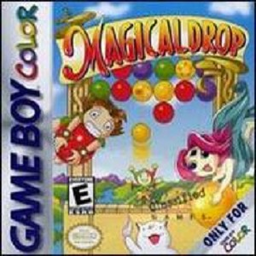
Magical Drop
Play Magical Drop online on Game Boy Color. Catch coloured balloons from below and throw them back to form vertical groups of three or more in Magical Drop. Plan a column before grabbing, then watch the next falling arrangement so the board does not fill.
Browser play
Game Boy Color (GBC) — EmulatorJS controls
Default Player 1 keyboard mapping. Change keys in Controller Settings.
| Console button | Keyboard |
|---|---|
| ↑ / ↓ / ← / → | ↑ / ↓ / ← / → |
| A / B | Z / X |
| START / SELECT | Enter / V |
Open Controller Settings to configure your keyboard or gamepad. Touch controls are available on mobile.
How to Play Magical Drop
Quick start
Choose One Player, Easy and a character. Press the button you want for Catch first, take a colour and throw it into a vertical group of at least three.
Controls
D-pad moves the character and menu selection. The first A/B pressed during play becomes Catch; the other becomes Throw. START selects/starts and pauses. Remember the chosen assignment before building faster chains.
Magical Drop — About this game
Start on Easy and practise catching one colour and throwing into a matching column. The first A or B button you press becomes Catch and the other becomes Throw, so establish that choice deliberately. A useful clear gives room to read the next set rather than panic at the crowded ceiling.
Magical Drop Game manuals
Cheats
No cheats have been added for this edition.
Player verification and sources
Browser play was reviewed before this edition was published in the catalogue. The date below is the catalogue publication date, not the game’s original release date.
- Browser test and catalogue publication date
- Browsers and devices
- PC: Chrome, Edge and Firefox. Mobile: Chrome on Android and Safari on iPhone and iPad.
- Player engine and core
- EmulatorJS 4.3.0-pre · gb
- Tested by
- rwEmulator
Sources and editorial basis
rwEmulator reviews edition metadata, release information, game manuals and first-hand browser-play notes. Available manuals are linked below; the editorial policy explains how facts are checked and corrections are handled.