More browsing paths
Play The Krion Conquest (US edition · English) Online
The Krion Conquest
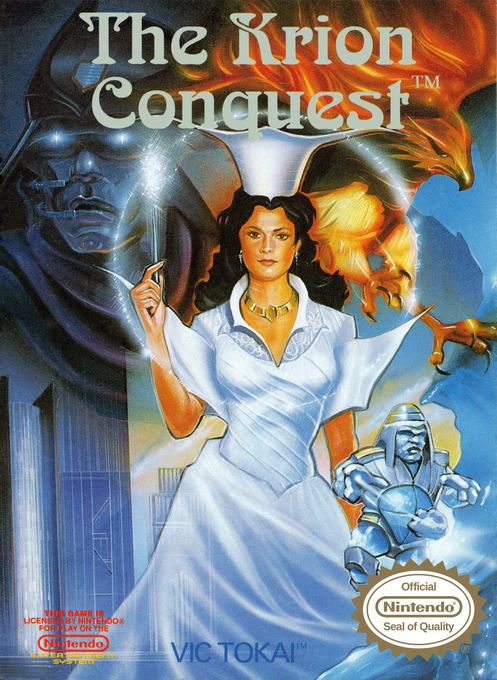
Play The Krion Conquest online. Switch Francesca’s six spells, charge powerful shots and ride a broom through robot-filled NES platform stages.
Browser play
Nintendo Entertainment System (NES) / Famicom — EmulatorJS controls
Default Player 1 keyboard mapping. Change keys in Controller Settings.
| Console button | Keyboard |
|---|---|
| ↑ / ↓ / ← / → | ↑ / ↓ / ← / → |
| A / B | Z / X |
| START / SELECT | Enter / V |
Open Controller Settings to configure your keyboard or gamepad. Touch controls are available on mobile.
How to Play The Krion Conquest
Quick start
Press START to begin. In the opening base, practise A jumps and B shots with NORMAL selected. For a Super Shot, hold B until the Magic Gauge shows GO, then release it. Press START to open the magic menu and use the Control Pad to choose another spell; START closes the window. To fly, choose BROOM, press B to produce the broom, jump onto it, then hold B with left/right or up. FIRE consumes life, so avoid selecting it casually.
Controls
Control Pad left/right: move; up: face upward; down: crouch. A: jump. B: shoot; with a compatible spell, hold until GO and release for a Super Shot. START: begin or open/close the magic-selection window; use the Control Pad to select magic. With BROOM active, B produces the broom; while riding, B+left/right flies horizontally and B+up rises. SELECT is unused.
The Krion Conquest — About this game
The Krion Conquest sends Francesca against an invading robot empire in a side-scrolling NES action game. Her six forms of magic are available immediately, so progress depends on choosing the right tool rather than collecting a new weapon after every boss. NORMAL supports charged shots, FREEZE can stop enemies, BALL rebounds off walls, and a charged SHIELD creates a defensive barrier. BROOM provides a flying platform for reaching difficult ground, while FIRE clears the screen at a cost to your life meter. Movement, jumping and spell choice work together as you explore the bases; underwater areas add an oxygen gauge to watch.
Cheats
No cheats have been added for this edition.
Player verification and sources
Browser play was reviewed before this edition was published in the catalogue. The date below is the catalogue publication date, not the game’s original release date.
- Browser test and catalogue publication date
- Browsers and devices
- PC: Chrome, Edge and Firefox. Mobile: Chrome on Android and Safari on iPhone and iPad.
- Player engine and core
- EmulatorJS 4.3.0-pre · nes
- Tested by
- rwEmulator
Sources and editorial basis
rwEmulator reviews edition metadata, release information, game manuals and first-hand browser-play notes. Available manuals are linked below; the editorial policy explains how facts are checked and corrections are handled.