More browsing paths
Play Enchanted Folk and the School of Wizardry (US edition · English / French / Spanish) Online
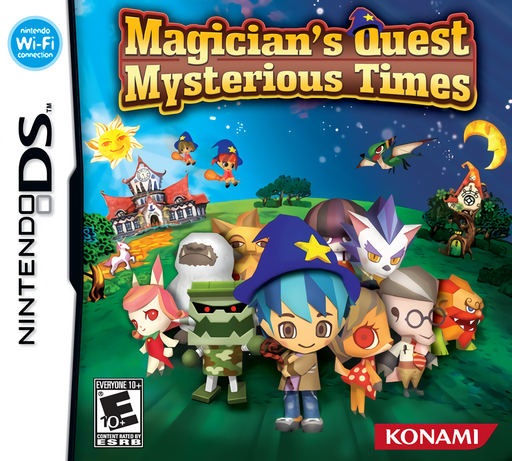
Magician's Quest - Mysterious Times
Play Enchanted Folk and the School of Wizardry online. Attend magic classes, make classmates, decorate the dorm and investigate the town's Mystery Time.
Browser play
Nintendo DS (NDS) — EmulatorJS controls
Default Player 1 keyboard mapping. Change keys in Controller Settings.
| Console button | Keyboard |
|---|---|
| ↑ / ↓ / ← / → | ↑ / ↓ / ← / → |
| A / B / X / Y | Z / X / A / S |
| L / R | Q / E |
| START / SELECT | Enter / V |
| Microphone | Not assigned |
Open Controller Settings to configure your keyboard or gamepad. Touch controls are available on mobile.
How to Play Enchanted Folk and the School of Wizardry
Quick start
Select Enroll and answer Principal Sol's questions, choosing Let me pick if you want to set the appearance yourself. Explore the school, speak to the teacher outside the classroom and take Introduction. Practise the taught magic before investigating the town; save with SELECT when ending a session.
Controls
Walk with the Control Pad or a nearby touch; B plus direction or a distant touch runs. A talks or picks up, L opens the bag, R cycles wand tools and X uses one. Y opens magic/chat symbols, START the menu and SELECT saves. Turn clockwise to become a wizard and counterclockwise to change back.
Enchanted Folk and the School of Wizardry — About this game
Enroll in a magic school, attend classes and build a daily life with the town's unusual students. Lessons teach spell symbols and combinations; answering the teacher and collecting attendance stamps raise your wizard grade. Your wand also becomes a shovel, fishing pole, net or watering can, linking exploration to collecting and gardening. Decorate the dorm, talk to classmates and watch shops and events change with time. During magenta-sky Mystery Time, investigate unusual characters and clues to solve an event. Begin with Introduction and practise one taught spell, then explore with the appropriate tool. Save explicitly before leaving your school day. Begin with the opening instructions and practice the main interaction before pursuing optional rewards. Read the current objective, make one deliberate choice and watch its effect before repeating it. A short first session makes it easier to separate a missed instruction from a difficult challenge. Return to the available menu when you need to check progress or adjust your approach, then continue from the next clear objective.
Enchanted Folk and the School of Wizardry Game manuals
Cheats
No cheats have been added for this edition.
Player verification and sources
Browser play was reviewed before this edition was published in the catalogue. The date below is the catalogue publication date, not the game’s original release date.
- Browser test and catalogue publication date
- Browsers and devices
- PC: Chrome, Edge and Firefox. Mobile: Chrome on Android and Safari on iPhone and iPad.
- Player engine and core
- EmulatorJS 4.3.0-pre · nds
- Tested by
- rwEmulator
Sources and editorial basis
rwEmulator reviews edition metadata, release information, game manuals and first-hand browser-play notes. Available manuals are linked below; the editorial policy explains how facts are checked and corrections are handled.