More browsing paths
Play Mah-Jong (Japan edition · Japanese) Online
Mah-Jong
Play Nintendo's FC version of ``Mahjong'' online. Learn A's striking tiles and B's Agari/Reach operations in computer games ranging from beginner to advanced.
Browser play
Nintendo Entertainment System (NES) / Famicom — EmulatorJS controls
Default Player 1 keyboard mapping. Change keys in Controller Settings.
| Console button | Keyboard |
|---|---|
| ↑ / ↓ / ← / → | ↑ / ↓ / ← / → |
| A / B | Z / X |
| START / SELECT | Enter / V |
Open Controller Settings to configure your keyboard or gamepad. Touch controls are available on mobile.
How to Play Mah-Jong
Quick start
Select to match the beginner's level and start the game with Start. On your turn, press A to pick, use the left and right arrow keys to move the cursor to the tile you want to discard, and press A to cut. For reach, pop, etc., select commands using up and down, and press B to execute. When they are ready to rise, both Ron and Tsumo should select "Agari" and press B. Make sure you don't accidentally press A in a situation where you can win, and start by learning the controls and the conditions of the role in the beginner's game.
Controls
Left and right: Move the cursor of the tiles in hand. Up and down: Mode selection such as Agari, Reach, Pon, Chi, Kang, etc. A: Tsumo, discard the selected tile. B: Perform the selected action. If there are multiple candidates for Qi or Anko, select the target with left and right, and confirm with A or B. Select: Class selection before the start (invalid during the game). Start: Start the game, pause and restart.
Mah-Jong — About this game
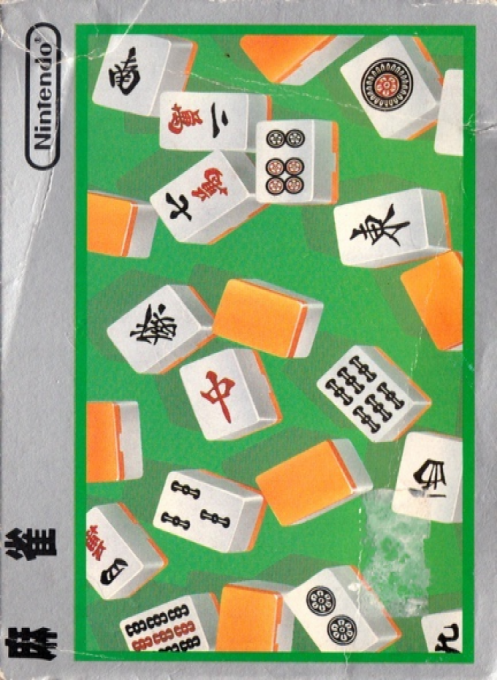
Nintendo's ``Mahjong'' is a table game against the computer that is a four-player version adapted for two players. Players compete for points in Hansho, which progresses from East 1st to East 2nd, South 1st, and South 2nd, and the first to win three games wins. While it lets you know what actions you can't do at beginner level, at intermediate level and above you lose points for chonbo, and at advanced level you have a limit of about 12 seconds for playing tiles. The game is characterized by the use of A, which cuts tiles, and B, which declares reach or defeat, so if you are not used to it, you should be careful not to miss out on winning opportunities. There are some differences from mahjong that we often see today, such as the displayed tiles themselves being dragons, so be sure to check the rules of this game and proceed calmly one move at a time.
Cheats
No cheats have been added for this edition.
Player verification and sources
Browser play was reviewed before this edition was published in the catalogue. The date below is the catalogue publication date, not the game’s original release date.
- Browser test and catalogue publication date
- Browsers and devices
- PC: Chrome, Edge and Firefox. Mobile: Chrome on Android and Safari on iPhone and iPad.
- Player engine and core
- EmulatorJS 4.3.0-pre · nes
- Tested by
- rwEmulator
Sources and editorial basis
rwEmulator reviews edition metadata, release information, game manuals and first-hand browser-play notes. Available manuals are linked below; the editorial policy explains how facts are checked and corrections are handled.