More browsing paths
Play Mah Jong Quest - Expeditions (US edition · English) Online
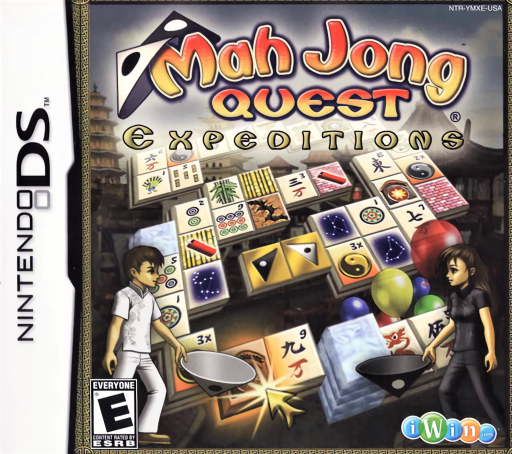
Mah Jong Quest - Expeditions
Play Mah Jong Quest - Expeditions online. Uncover Kwazi's two special tiles through layered matching puzzles and changing obstacles. Explore the Nintendo DS gameplay and controls.
Browser play
Nintendo DS (NDS) — EmulatorJS controls
Default Player 1 keyboard mapping. Change keys in Controller Settings.
| Console button | Keyboard |
|---|---|
| ↑ / ↓ / ← / → | ↑ / ↓ / ← / → |
| A / B / X / Y | Z / X / A / S |
| L / R | Q / E |
| START / SELECT | Enter / V |
| Microphone | Not assigned |
Open Controller Settings to configure your keyboard or gamepad. Touch controls are available on mobile.
How to Play Mah Jong Quest - Expeditions
Quick start
Choose Kwazi's Quest and read the opening instructions before the first board. Find matching tiles that have nothing above them and an open left or right edge. Remove pairs to expose the black and white goal tiles, then match those to finish. Read each new special-tile explanation as it appears; use Classic for a full-board clearing challenge.
Controls
Select playable tiles with the stylus on the touch screen, then select their match. Covered tiles or tiles blocked on both sides cannot be removed normally. Use the board-flip icons to see hidden faces and the undo control to revisit a move. Quest/Puzzle goal tiles and Classic's whole-board target have different finish conditions.
Mah Jong Quest - Expeditions — About this game
Mah Jong Quest - Expeditions builds its story around Kwazi, whose two halves must be reunited. In Kwazi's Quest, clear a path through stacked tiles to the black and white goal pieces before time runs out. Matching them finishes the board, and leaving unnecessary tiles behind helps your bonus. Special pieces introduce obstacles and ways to change the layout as the journey continues. Classic instead asks you to clear the entire stack, while Puzzle offers further arrangements with the special-tile goal. Planning which pair to remove matters as much as spotting matching pictures.
Mah Jong Quest - Expeditions Game manuals
Cheats
No cheats have been added for this edition.
Player verification and sources
Browser play was reviewed before this edition was published in the catalogue. The date below is the catalogue publication date, not the game’s original release date.
- Browser test and catalogue publication date
- Browsers and devices
- PC: Chrome, Edge and Firefox. Mobile: Chrome on Android and Safari on iPhone and iPad.
- Player engine and core
- EmulatorJS 4.3.0-pre · nds
- Tested by
- rwEmulator
Sources and editorial basis
rwEmulator reviews edition metadata, release information, game manuals and first-hand browser-play notes. Available manuals are linked below; the editorial policy explains how facts are checked and corrections are handled.