More browsing paths
Play Mahjong Quest (SGB Enhanced · Japan edition · Japanese) Online
Mahjong Quest
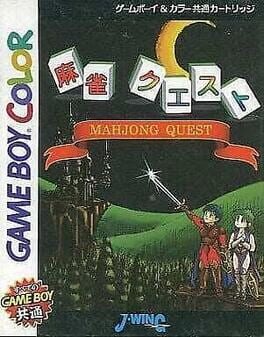
Play Mahjong Quest online on GBC. Choose fantasy characters, play mahjong matches and try special techniques.
Browser play
Game Boy Color (GBC) — EmulatorJS controls
Default Player 1 keyboard mapping. Change keys in Controller Settings.
| Console button | Keyboard |
|---|---|
| ↑ / ↓ / ← / → | ↑ / ↓ / ← / → |
| A / B | Z / X |
| START / SELECT | Enter / V |
Open Controller Settings to configure your keyboard or gamepad. Touch controls are available on mobile.
How to Play Mahjong Quest
Quick start
Choose a character, review the available match and rule settings, then begin. Inspect the opening hand, choose discards after drawing and read the command list before using a special technique.
Controls
The directional pad selects tiles, characters and commands. A confirms a discard or offered action; B cancels where allowed. Use the technique command shown by the game rather than assuming it shares an ordinary discard button.
Mahjong Quest — About this game
Build your hand through draws and discards while reading the visible tiles. Character techniques add another decision, but learning ordinary play first makes their effect easier to understand. Choose a rule setting you can follow and keep it consistent while learning the extended match challenge.
Cheats
No cheats have been added for this edition.
Player verification and sources
Browser play was reviewed before this edition was published in the catalogue. The date below is the catalogue publication date, not the game’s original release date.
- Browser test and catalogue publication date
- Browsers and devices
- PC: Chrome, Edge and Firefox. Mobile: Chrome on Android and Safari on iPhone and iPad.
- Player engine and core
- EmulatorJS 4.3.0-pre · gb
- Tested by
- rwEmulator
Sources and editorial basis
rwEmulator reviews edition metadata, release information, game manuals and first-hand browser-play notes. Available manuals are linked below; the editorial policy explains how facts are checked and corrections are handled.