More browsing paths
Play MapleStory DS (Japan edition · Japanese) Online
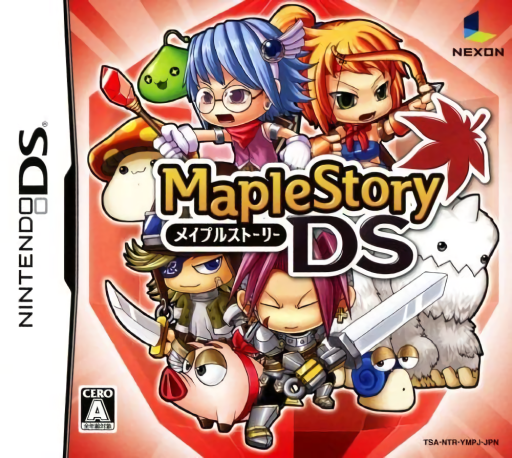
MapleStory DS
Play MapleStory DS online. Explore Maple World's linked character stories through side-scrolling combat, skills and equipment.
Browser play
Nintendo DS (NDS) — EmulatorJS controls
Default Player 1 keyboard mapping. Change keys in Controller Settings.
| Console button | Keyboard |
|---|---|
| ↑ / ↓ / ← / → | ↑ / ↓ / ← / → |
| A / B / X / Y | Z / X / A / S |
| L / R | Q / E |
| START / SELECT | Enter / V |
| Microphone | Not assigned |
Open Controller Settings to configure your keyboard or gamepad. Touch controls are available on mobile.
How to Play MapleStory DS
Quick start
Start the opening stage and practice moving, jumping and the first required action. Clear one obstacle at a time, watch enemy movement and learn a safe route before returning for collectibles. Check the stage goal when a path seems blocked.
Controls
Use the DS directional controls to move and the shown action buttons to jump or perform the current character's move. Read the tutorial when a special obstacle appears and use the pause or selection menu for the options it offers. Time inputs around the scenery rather than tapping the touch screen as a universal action.
MapleStory DS — About this game
MapleStory DS turns Maple World's familiar monsters and towns into a single-player action RPG with an original story. Follow the linked journeys of a warrior, magician, archer and thief, fighting across side-scrolling areas and using each role's attacks and skills to tackle obstacles. Defeated enemies provide experience and useful drops, while equipment and recovery items prepare you for the next boss. Begin with the opening character's movement, jump and basic attack before spending skill resources on a longer encounter. The Japan cartridge is the self-contained DS adventure, and its single-player progress does not require joining the PC game's current world or economy. Begin with the opening instructions and practice the main interaction before pursuing optional rewards. Read the current objective, make one deliberate choice and watch its effect before repeating it. A short first session makes it easier to separate a missed instruction from a difficult challenge. Return to the available menu when you need to check progress or adjust your approach, then continue from the next clear objective.
MapleStory DS Game manuals
Cheats
No cheats have been added for this edition.
Player verification and sources
Browser play was reviewed before this edition was published in the catalogue. The date below is the catalogue publication date, not the game’s original release date.
- Browser test and catalogue publication date
- Browsers and devices
- PC: Chrome, Edge and Firefox. Mobile: Chrome on Android and Safari on iPhone and iPad.
- Player engine and core
- EmulatorJS 4.3.0-pre · nds
- Tested by
- rwEmulator
Sources and editorial basis
rwEmulator reviews edition metadata, release information, game manuals and first-hand browser-play notes. Available manuals are linked below; the editorial policy explains how facts are checked and corrections are handled.