More browsing paths
Play Mario Is Missing! (Europe edition · English) Online
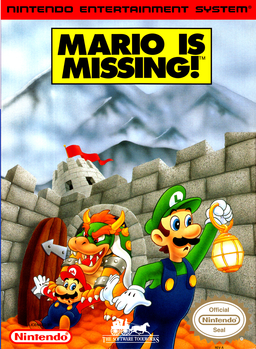
Mario Is Missing!
Play Mario Is Missing! online as Luigi. Recover stolen artifacts, solve geography questions, and find Yoshi with NES controls and a practical getting-started guide.
Browser play
Nintendo Entertainment System (NES) / Famicom — EmulatorJS controls
Default Player 1 keyboard mapping. Change keys in Controller Settings.
| Console button | Keyboard |
|---|---|
| ↑ / ↓ / ← / → | ↑ / ↓ / ← / → |
| A / B | Z / X |
| START / SELECT | Enter / V |
Open Controller Settings to configure your keyboard or gamepad. Touch controls are available on mobile.
How to Play Mario Is Missing!
Quick start
Press START twice from the title screen, enter a castle door, and go down one of its city portals. Use SELECT to find the City Map in the toolbox, then START to open it. Locate Koopas, jump on them with A, and press Down to collect their dropped loot. Choose an artifact in the Loot Bag, select the question-mark tool, and approach residents or the appropriate information booth to ask about it. Use the clues to identify the city, then open the Globulator and move Yoshi there. Return the artifacts by answering the curators' questions, then ride Yoshi down the exit portal. Write down the password shown afterward if you want to continue another time.
Controls
D-pad Left/Right: move along a street. Up: move north or look up; Down: travel south at an intersection, collect loot, or enter a pipe. A: jump. B: run faster. SELECT: cycle through toolbox tools. START: use the selected tool, confirm a question or answer, and begin the game; it also closes the City Map or hangs up the Fax/Phone. Use the D-pad within tool screens to choose items or move Yoshi on the Globulator. To resume with a password, choose CONTINUE from the title menu, enter its letters and numbers with the D-pad, then press START.
Mario Is Missing! — About this game
Luigi takes the lead in this NES geography adventure, trading the usual race to a flagpole for a hunt through real-world cities. Bowser's Koopas have stolen objects from local landmarks, and recovering them is only the beginning. You must work out what each object is, find the relevant information booth, and answer the curator's questions before handing it back. Residents provide clues to your location, while the city map helps you locate people, Koopas, and landmarks. The Globulator adds another task: guide Yoshi to the city Luigi has identified so the pair can eventually return through the exit portal. The central challenge is connecting descriptions, places, and artifacts rather than mastering difficult jumps. Its repeated investigation-and-quiz routine makes it a different kind of Mario game, best approached as a sightseeing puzzle rather than a conventional platform adventure.
Cheats
No cheats have been added for this edition.
Player verification and sources
Browser play was reviewed before this edition was published in the catalogue. The date below is the catalogue publication date, not the game’s original release date.
- Browser test and catalogue publication date
- Browsers and devices
- PC: Chrome, Edge and Firefox. Mobile: Chrome on Android and Safari on iPhone and iPad.
- Player engine and core
- EmulatorJS 4.3.0-pre · nes
- Tested by
- rwEmulator
Sources and editorial basis
rwEmulator reviews edition metadata, release information, game manuals and first-hand browser-play notes. Available manuals are linked below; the editorial policy explains how facts are checked and corrections are handled.