More browsing paths
Play Mario Party DS (US edition · Revision 2 · English) Online
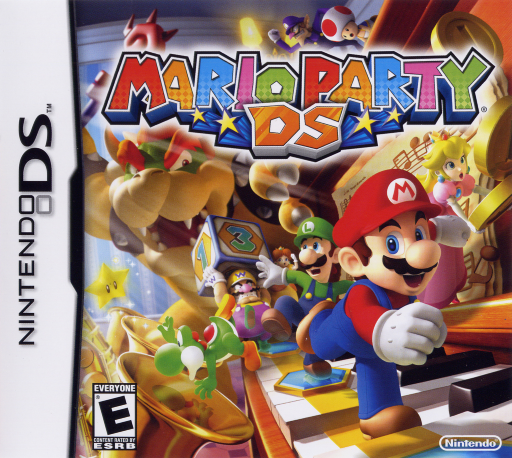
Mario Party DS
Play Mario Party DS online and discover board strategy, Stars and minigame practice. Learn the original DS controls and follow a quick-start guide to begin your game.
Browser play
Nintendo DS (NDS) — EmulatorJS controls
Default Player 1 keyboard mapping. Change keys in Controller Settings.
| Console button | Keyboard |
|---|---|
| ↑ / ↓ / ← / → | ↑ / ↓ / ← / → |
| A / B / X / Y | Z / X / A / S |
| L / R | Q / E |
| START / SELECT | Enter / V |
| Microphone | Not assigned |
Open Controller Settings to configure your keyboard or gamepad. Touch controls are available on mobile.
How to Play Mario Party DS
Quick start
Confirm the title screen and choose Story Mode for a solo start. Pick a character and follow the opening to the first board. Read its Star rules, roll the Dice Block and choose routes or items when offered. Before each minigame, read RULES and TIPS, then press X or PRACTICE to learn that specific control scheme. Return and press A or the on-screen START to compete. Try to finish the board with the most Stars so you can move on to its boss challenge.
Controls
D-pad: move the menu cursor; A: confirm. Touch menu icons or OK to select. On each Minigame Instruction Screen, read that game’s button, stylus or microphone controls: there is no universal action scheme. X or PRACTICE: rehearse; A or the on-screen START: begin. START pauses minigames and board play. Y lets you view around the board. L/R scroll lists.
Mario Party DS — About this game
Bowser shrinks Mario and his friends, turning familiar objects into oversized party-board landscapes. Players take turns rolling dice, choosing routes and using items to collect coins and Stars. After everyone moves, a minigame changes the pace with a short contest that can use buttons, the stylus or the microphone. Each minigame has its own instructions and a practice option, so learning the next challenge matters alongside board strategy. Story Mode gives a solo route through the boards against computer opponents, while other modes focus on party matches, unlocked minigames or puzzles. Board events and different Star rules make the most profitable path change during play.
Mario Party DS Game manuals
Cheats
No cheats have been added for this edition.
Player verification and sources
Browser play was reviewed before this edition was published in the catalogue. The date below is the catalogue publication date, not the game’s original release date.
- Browser test and catalogue publication date
- Browsers and devices
- PC: Chrome, Edge and Firefox. Mobile: Chrome on Android and Safari on iPhone and iPad.
- Player engine and core
- EmulatorJS 4.3.0-pre · nds
- Tested by
- rwEmulator
Sources and editorial basis
rwEmulator reviews edition metadata, release information, game manuals and first-hand browser-play notes. Available manuals are linked below; the editorial policy explains how facts are checked and corrections are handled.