More browsing paths
Play Mario's Time Machine (US edition · English) Online
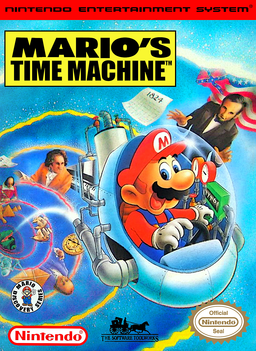
Mario's Time Machine
Play Mario's Time Machine online on NES. Recover artifacts, choose historical eras, and rescue Yoshi with a guide to the museum, Timulator, controls, and passwords.
Browser play
Nintendo Entertainment System (NES) / Famicom — EmulatorJS controls
Default Player 1 keyboard mapping. Change keys in Controller Settings.
| Console button | Keyboard |
|---|---|
| ↑ / ↓ / ← / → | ↑ / ↓ / ← / → |
| A / B | Z / X |
| START / SELECT | Enter / V |
Open Controller Settings to configure your keyboard or gamepad. Touch controls are available on mobile.
How to Play Mario's Time Machine
Quick start
Press START at the title screen. After Yoshi is captured, press Up at a museum door to enter a Timulator room. Jump beneath a Koopa's platform to knock it down, then jump on it; clear all three to produce an artifact and press Down to collect it. Enter the Timulator with Down, choose a date with the D-pad, and press A to travel. At the destination, hit information boxes with normal jumps and select the question mark with SELECT, then press START near a person to ask for clues. Select the artifact and use START at its proper location to return it. Record the password earned afterward; choose CONTINUE at the title screen to resume with it.
Controls
Left/Right: move; hold B to run faster. A: jump; combine B with A for a longer jump, or Up with A for a spinning jump that breaks blocks. Down: crouch, pick up an artifact, or enter the Timulator. Up: enter a door or look up. SELECT: cycle the artifact, clock, and question mark in the top window. START: begin the game or activate the selected top-window item to return an artifact, show the timeline, or ask a question. In the Timulator, choose the date with the D-pad and confirm with A. At CONTINUE, Left/Right selects a password position, Up/Down changes its character, and START resumes.
Mario's Time Machine — About this game
Bowser is filling a museum with objects stolen from history, and Mario must put them back before freeing the captured Yoshi. In this NES adventure, each trip starts with a small platform arena: knock three Koopas off the ledges to reveal an artifact, collect it, and enter the Timulator. Choosing a date is only part of the puzzle. Explore the destination, read information boxes, and question people to decide where the object belongs. A timeline helps organize the eras you have visited, and keeping notes pays off when the museum's final History Test becomes available. The familiar jumping and running serve exploration rather than a conventional race through dangerous courses. Be careful with spinning jumps, though: breaking the blocks beneath an information box can remove a useful foothold. This is the NES game, with its museum arenas and artifact-return routine, not the SNES or computer version's history-homework interface.
Cheats
No cheats have been added for this edition.
Player verification and sources
Browser play was reviewed before this edition was published in the catalogue. The date below is the catalogue publication date, not the game’s original release date.
- Browser test and catalogue publication date
- Browsers and devices
- PC: Chrome, Edge and Firefox. Mobile: Chrome on Android and Safari on iPhone and iPad.
- Player engine and core
- EmulatorJS 4.3.0-pre · nes
- Tested by
- rwEmulator
Sources and editorial basis
rwEmulator reviews edition metadata, release information, game manuals and first-hand browser-play notes. Available manuals are linked below; the editorial policy explains how facts are checked and corrections are handled.