More browsing paths
Play Marvel: Ultimate Alliance (Europe edition · English / Italian) Online
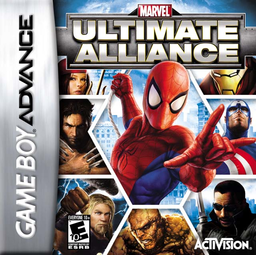
Marvel: Ultimate Alliance
Play Marvel: Ultimate Alliance online on GBA, build a four-hero team and switch characters, use specials and complete combat missions.
Browser play
Game Boy Advance (GBA) — EmulatorJS controls
Default Player 1 keyboard mapping. Change keys in Controller Settings.
| Console button | Keyboard |
|---|---|
| ↑ / ↓ / ← / → | ↑ / ↓ / ← / → |
| A / B | Z / X |
| L / R | Q / E |
| START / SELECT | Enter / V |
Open Controller Settings to configure your keyboard or gamepad. Touch controls are available on mobile.
How to Play Marvel: Ultimate Alliance
Quick start
Choose New Game, select three active heroes plus the orange Striker slot, and press START for the first mission. Use L to rotate to the hero best suited to each fight, break or throw nearby objects, and save the A+B special for dense enemy groups. After completing the mission, select the next objective from the map and adjust the team as new heroes unlock.
Controls
D-pad moves; A jumps; B attacks or throws a held object; SELECT cycles items; A+B uses a special; R uses the selected item; L+R calls the Striker; L switches heroes; START pauses. Double-tap Left/Right to run, then B for a running bash; jump+B performs a flying attack.
Marvel: Ultimate Alliance Game manuals
Cheats
No cheats have been added for this edition.
Player verification and sources
Browser play was reviewed before this edition was published in the catalogue. The date below is the catalogue publication date, not the game’s original release date.
- Browser test and catalogue publication date
- Browsers and devices
- PC: Chrome, Edge and Firefox. Mobile: Chrome on Android and Safari on iPhone and iPad.
- Player engine and core
- EmulatorJS 4.3.0-pre · gba
- Tested by
- rwEmulator
Sources and editorial basis
rwEmulator reviews edition metadata, release information, game manuals and first-hand browser-play notes. Available manuals are linked below; the editorial policy explains how facts are checked and corrections are handled.