More browsing paths
Play Blade Eagle 3-D (World edition) Online
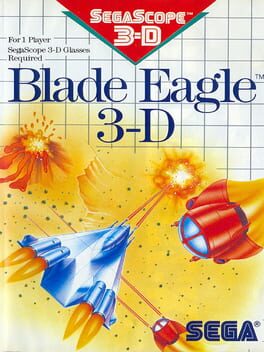
Blade Eagle 3-D
Play Blade Eagle 3-D online on Master System. Switch between two flight heights to battle robots across three worlds.
Browser play
Sega Master System — EmulatorJS controls
Default Player 1 keyboard mapping. Change keys in Controller Settings.
| Console button | Keyboard |
|---|---|
| ↑ / ↓ / ← / → | ↑ / ↓ / ← / → |
| 1 / START | X |
| 2 | Z |
Open Controller Settings to configure your keyboard or gamepad. Touch controls are available on mobile.
How to Play Blade Eagle 3-D
Quick start
Press 1 to begin. Move away from incoming fire, use 1 to match an enemy's height and fire with 2. A large ship is high; a small ship is low.
Controls
D-pad: move in eight directions. 1: start, then switch between high and low altitude. 2: fire. The retail game uses SegaScope 3-D presentation.
Blade Eagle 3-D — About this game
The surviving BLADE fighter faces an Arvian invasion across nine rounds on three worlds. This vertical shooter makes altitude part of aiming: your ship and its target must occupy the same height for shots to connect. Switch between the upper and lower layers while dodging fire and collecting weapon upgrades. Shadow craft can join your formation and take over when your fighter is destroyed. The original presentation was designed for SegaScope 3-D glasses.
Blade Eagle 3-D Game manuals
Cheats
No cheats have been added for this edition.
Player verification and sources
Browser play was reviewed before this edition was published in the catalogue. The date below is the catalogue publication date, not the game’s original release date.
- Browser test and catalogue publication date
- Browsers and devices
- PC: Chrome, Edge and Firefox. Mobile: Chrome on Android and Safari on iPhone and iPad.
- Player engine and core
- EmulatorJS 4.3.0-pre · segaMS
- Tested by
- rwEmulator
Sources and editorial basis
rwEmulator reviews edition metadata, release information, game manuals and first-hand browser-play notes. Available manuals are linked below; the editorial policy explains how facts are checked and corrections are handled.