More browsing paths
Play Bomber Raid (US_EU edition) Online
Bomber Raid
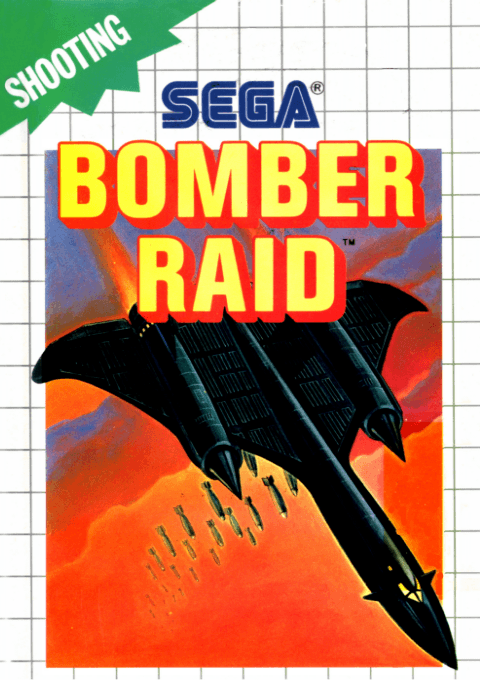
Play Bomber Raid online on Master System. Fly five combat missions with guns, cluster bombs and support planes.
Browser play
Sega Master System — EmulatorJS controls
Default Player 1 keyboard mapping. Change keys in Controller Settings.
| Console button | Keyboard |
|---|---|
| ↑ / ↓ / ← / → | ↑ / ↓ / ← / → |
| 1 / START | X |
| 2 | Z |
Open Controller Settings to configure your keyboard or gamepad. Touch controls are available on mobile.
How to Play Bomber Raid
Quick start
Press 1 or 2 twice to start. Follow the mission briefing, move away from incoming shots and fire with 1. Save your three starting cluster bombs for concentrated threats.
Controls
D-pad: move the bomber. 1: gunfire. 2: release a cluster bomb. 1 or 2 twice: start. Cluster bombs are limited; gunfire is unlimited.
Bomber Raid — About this game
Your bomber must clear five missions, each with a main target identified by headquarters. Unlimited gunfire handles routine attacks, while a small stock of cluster bombs provides heavier support when the screen becomes crowded. Collect power-ups to strengthen your weapons and improve speed, and use formation items to bring allied aircraft into the fight. Destroy the designated objective to move to the next mission, while keeping enough space to dodge returning fire.
Bomber Raid Game manuals
Cheats
No cheats have been added for this edition.
Player verification and sources
Browser play was reviewed before this edition was published in the catalogue. The date below is the catalogue publication date, not the game’s original release date.
- Browser test and catalogue publication date
- Browsers and devices
- PC: Chrome, Edge and Firefox. Mobile: Chrome on Android and Safari on iPhone and iPad.
- Player engine and core
- EmulatorJS 4.3.0-pre · segaMS
- Tested by
- rwEmulator
Sources and editorial basis
rwEmulator reviews edition metadata, release information, game manuals and first-hand browser-play notes. Available manuals are linked below; the editorial policy explains how facts are checked and corrections are handled.