More browsing paths
Play Buggy Run (EU_BR edition · English) Online
Buggy Run
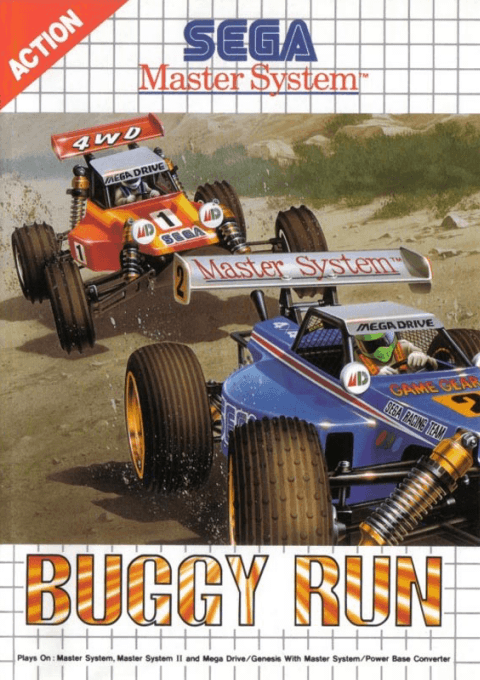
Play Buggy Run online on Master System. Race overhead-view buggies, buy upgrades and deploy special items.
Browser play
Sega Master System — EmulatorJS controls
Default Player 1 keyboard mapping. Change keys in Controller Settings.
| Console button | Keyboard |
|---|---|
| ↑ / ↓ / ← / → | ↑ / ↓ / ← / → |
| 1 / START | X |
| 2 | Z |
Open Controller Settings to configure your keyboard or gamepad. Touch controls are available on mobile.
How to Play Buggy Run
Quick start
Press 1 at the title, choose 1P MODE, then FREE RUN to learn a course. Hold 1 to accelerate and steer into corners early. For the championship, choose RACE MODE and NEW GAME, then visit the tune-up shop.
Controls
D-pad: steer/select. 1: accelerate/confirm/buy. 2: use a special item during racing/cancel or return in menus.
Buggy Run — About this game
Buggy Run combines circuit racing with a tune-up shop and an arena battle. The solo championship spans fourteen courses against three rivals, with money available for parts that improve handling and performance. Separate practice and computer-race options let you learn a circuit before committing to the season. Two-player racing offers a shorter set of races, while Battle changes the objective: knock the other buggies into the surrounding lava rather than cross a finish line.
Buggy Run Game manuals
Cheats
No cheats have been added for this edition.
Player verification and sources
Browser play was reviewed before this edition was published in the catalogue. The date below is the catalogue publication date, not the game’s original release date.
- Browser test and catalogue publication date
- Browsers and devices
- PC: Chrome, Edge and Firefox. Mobile: Chrome on Android and Safari on iPhone and iPad.
- Player engine and core
- EmulatorJS 4.3.0-pre · segaMS
- Tested by
- rwEmulator
Sources and editorial basis
rwEmulator reviews edition metadata, release information, game manuals and first-hand browser-play notes. Available manuals are linked below; the editorial policy explains how facts are checked and corrections are handled.