More browsing paths
Play Desert Strike (US_EU edition) Online
Desert Strike
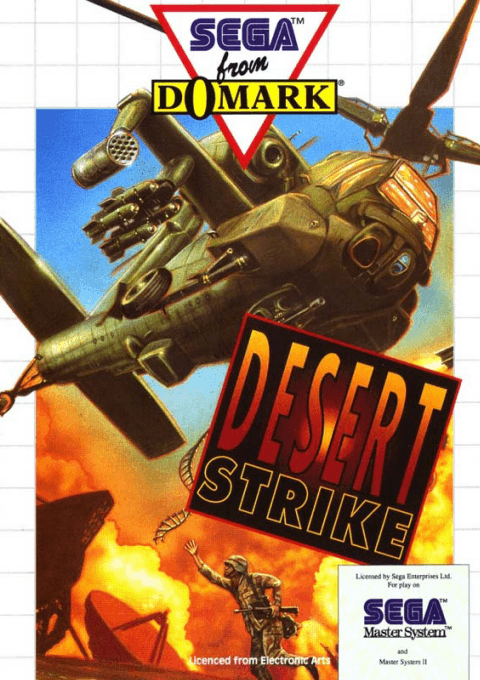
Play Desert Strike for Master System online. Plan helicopter strikes and rescue personnel across four campaigns.
Browser play
Sega Master System — EmulatorJS controls
Default Player 1 keyboard mapping. Change keys in Controller Settings.
| Console button | Keyboard |
|---|---|
| ↑ / ↓ / ← / → | ↑ / ↓ / ← / → |
| 1 / START | X |
| 2 | Z |
Open Controller Settings to configure your keyboard or gamepad. Touch controls are available on mobile.
How to Play Desert Strike
Quick start
Read the campaign briefing and choose a control style. Open the map with Pause, locate the first objective and plan a route past supplies.
Controls
D-pad: fly using the selected control style. 1: chain gun. 2: Hydra rockets. 1+2: Hellfire missiles. Console Pause: map and status.
Desert Strike — About this game
Pilot an Apache through open desert maps, balancing combat with ammunition and fuel. Read the briefing, identify your objectives and leave supplies available along your route. The map screen shows mission progress and helicopter status, so check it before committing to another attack. Rescue personnel as well as destroying enemy installations, and match the weapon to the threat instead of spending your strongest missiles on every target.
Cheats
No cheats have been added for this edition.
Player verification and sources
Browser play was reviewed before this edition was published in the catalogue. The date below is the catalogue publication date, not the game’s original release date.
- Browser test and catalogue publication date
- Browsers and devices
- PC: Chrome, Edge and Firefox. Mobile: Chrome on Android and Safari on iPhone and iPad.
- Player engine and core
- EmulatorJS 4.3.0-pre · segaMS
- Tested by
- rwEmulator
Sources and editorial basis
rwEmulator reviews edition metadata, release information, game manuals and first-hand browser-play notes. Available manuals are linked below; the editorial policy explains how facts are checked and corrections are handled.