More browsing paths
Play Os Doze Trabalhos de Jongo (Brazil edition) Online
Doze Trabalhos de Jongo, Os
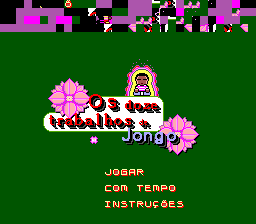
Play Os Doze Trabalhos de Jongo online on Master System. Push flowerpots onto marked spaces in compact, walled puzzles.
Browser play
Sega Master System — EmulatorJS controls
Default Player 1 keyboard mapping. Change keys in Controller Settings.
| Console button | Keyboard |
|---|---|
| ↑ / ↓ / ← / → | ↑ / ↓ / ← / → |
| 1 / START | X |
| 2 | Z |
Open Controller Settings to configure your keyboard or gamepad. Touch controls are available on mobile.
How to Play Os Doze Trabalhos de Jongo
Quick start
Find a marked space and trace a route from a nearby flowerpot. Move behind the pot, push it along the route and keep access to its next side.
Controls
Directional input moves Jongo; moving against a flowerpot pushes it when the space beyond is free.
Os Doze Trabalhos de Jongo — About this game
Guide Jongo through narrow stone passages and push the flowerpots toward the circular marked spaces. The challenge is not simply reaching a pot: you need room to stand on the correct side and keep access to the others. Look at the whole layout before pushing into a corner or closing a passage. Work backward from a destination to decide where a pot must approach, and clear one route without trapping another object behind it.
Cheats
No cheats have been added for this edition.
Player verification and sources
Browser play was reviewed before this edition was published in the catalogue. The date below is the catalogue publication date, not the game’s original release date.
- Browser test and catalogue publication date
- Browsers and devices
- PC: Chrome, Edge and Firefox. Mobile: Chrome on Android and Safari on iPhone and iPad.
- Player engine and core
- EmulatorJS 4.3.0-pre · segaMS
- Tested by
- rwEmulator
Sources and editorial basis
rwEmulator reviews edition metadata, release information, game manuals and first-hand browser-play notes. Available manuals are linked below; the editorial policy explains how facts are checked and corrections are handled.