More browsing paths
Play Fantasy Zone (World edition) Online
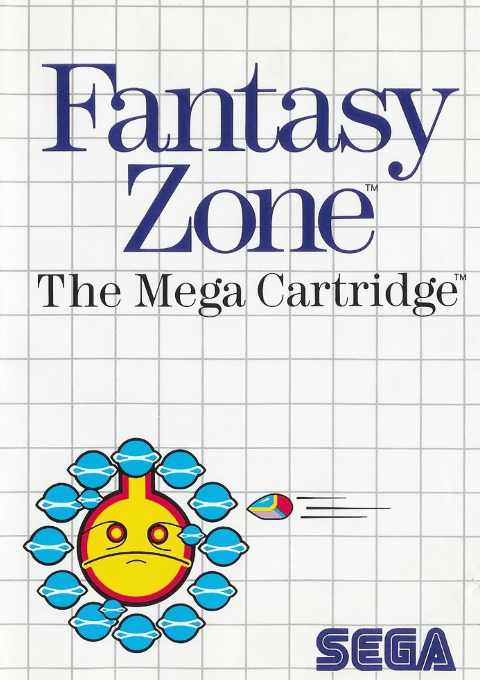
Fantasy Zone
Play Fantasy Zone online on Master System. Clear enemy bases with Opa-Opa and spend recovered coins on equipment.
Browser play
Sega Master System — EmulatorJS controls
Default Player 1 keyboard mapping. Change keys in Controller Settings.
| Console button | Keyboard |
|---|---|
| ↑ / ↓ / ← / → | ↑ / ↓ / ← / → |
| 1 / START | X |
| 2 | Z |
Open Controller Settings to configure your keyboard or gamepad. Touch controls are available on mobile.
How to Play Fantasy Zone
Quick start
Press 1 for one player. Move across the first planet, shoot bases and collect coins. Enter a shop, buy affordable parts, then equip a speed part, shot and bomb before selecting EXIT.
Controls
Directional pad: fly or move shop cursor. 1: fire shots; hold for continuous fire. 2: drop bombs. In shops, move to an item and press 1 or 2 to buy/confirm. On equipment selection, select gear then EXIT.
Fantasy Zone — About this game
Fantasy Zone lets Opa-Opa fly both left and right across each colourful planet. Destroy every enemy base to summon the large guardian, then defeat it to advance. Enemies drop coins that fund speed upgrades, different shots and bombs. Shopping and equipment selection are separate steps, and losing a life also removes purchased gear, making survival part of the spending decision.
Fantasy Zone Game manuals
Cheats
No cheats have been added for this edition.
Player verification and sources
Browser play was reviewed before this edition was published in the catalogue. The date below is the catalogue publication date, not the game’s original release date.
- Browser test and catalogue publication date
- Browsers and devices
- PC: Chrome, Edge and Firefox. Mobile: Chrome on Android and Safari on iPhone and iPad.
- Player engine and core
- EmulatorJS 4.3.0-pre · segaMS
- Tested by
- rwEmulator
Sources and editorial basis
rwEmulator reviews edition metadata, release information, game manuals and first-hand browser-play notes. Available manuals are linked below; the editorial policy explains how facts are checked and corrections are handled.