More browsing paths
Play FIFA International Soccer (Brazil edition · English / Spanish / Portuguese) Online
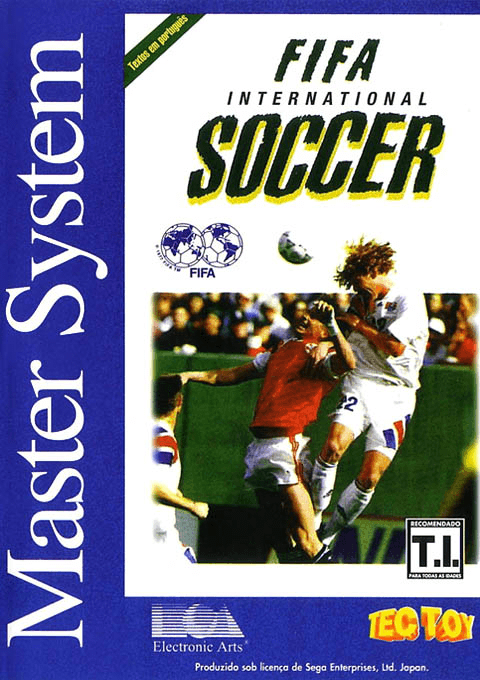
FIFA International Soccer
Play FIFA International Soccer for Master System online. Choose international teams for an exhibition, tournament, knockout competition or eight-team league.
Browser play
Sega Master System — EmulatorJS controls
Default Player 1 keyboard mapping. Change keys in Controller Settings.
| Console button | Keyboard |
|---|---|
| ↑ / ↓ / ← / → | ↑ / ↓ / ← / → |
| 1 / START | X |
| 2 | Z |
Open Controller Settings to configure your keyboard or gamepad. Touch controls are available on mobile.
How to Play FIFA International Soccer
Quick start
Choose Exhibition, select the teams and begin with a short match. Use 1 to pass and 2 to shoot.
Controls
D-pad moves. With ball: tap 1 to push ball ahead, hold 1 to pass, 2 to shoot. Without ball: 1 switches player, 2 slides.
FIFA International Soccer — About this game
Choose international teams for an exhibition, tournament, knockout competition or eight-team league. Pass toward a teammate rather than running straight at every defender, and hold the pass or shot button for more power. Without possession, switch to the player nearest the ball and time a sliding tackle. Passwords restore competition progress, and the language menu offers English, Portuguese and Spanish.
Cheats
No cheats have been added for this edition.
Player verification and sources
Browser play was reviewed before this edition was published in the catalogue. The date below is the catalogue publication date, not the game’s original release date.
- Browser test and catalogue publication date
- Browsers and devices
- PC: Chrome, Edge and Firefox. Mobile: Chrome on Android and Safari on iPhone and iPad.
- Player engine and core
- EmulatorJS 4.3.0-pre · segaMS
- Tested by
- rwEmulator
Sources and editorial basis
rwEmulator reviews edition metadata, release information, game manuals and first-hand browser-play notes. Available manuals are linked below; the editorial policy explains how facts are checked and corrections are handled.