More browsing paths
Play Ghouls 'n Ghosts (US_EU edition) Online
Ghouls 'n Ghosts
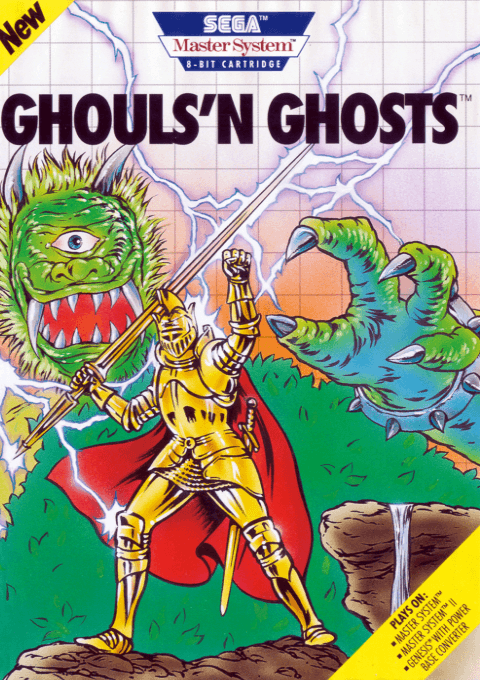
Play Ghouls 'n Ghosts online on Master System. Lead Arthur through haunted lands and improve his equipment along the way.
Browser play
Sega Master System — EmulatorJS controls
Default Player 1 keyboard mapping. Change keys in Controller Settings.
| Console button | Keyboard |
|---|---|
| ↑ / ↓ / ← / → | ↑ / ↓ / ← / → |
| 1 / START | X |
| 2 | Z |
Open Controller Settings to configure your keyboard or gamepad. Touch controls are available on mobile.
How to Play Ghouls 'n Ghosts
Quick start
Press 1 or 2 to start. Use 1 against approaching enemies and 2 to clear gaps. Open chests carefully and check your equipment and magic through Pause.
Controls
Left/right: move. Up/down: ladders; down also crouches. 1: attack; hold until flashing, then release for available magic. 2: jump. Up+1 shoots upward; down+1 in midair shoots downward. Pause: status and magic selection.
Ghouls 'n Ghosts — About this game
Arthur fights through haunted landscapes to reach the enemy castle. This Master System adventure adds equipment choices for helmet, armor and shoes, alongside life and magic gauges. Treasure chests can reveal surprises and secret gates. Watch the terrain while attacking: a pit can undo progress faster than an ordinary hit.
Ghouls 'n Ghosts Game manuals
Cheats
No cheats have been added for this edition.
Player verification and sources
Browser play was reviewed before this edition was published in the catalogue. The date below is the catalogue publication date, not the game’s original release date.
- Browser test and catalogue publication date
- Browsers and devices
- PC: Chrome, Edge and Firefox. Mobile: Chrome on Android and Safari on iPhone and iPad.
- Player engine and core
- EmulatorJS 4.3.0-pre · segaMS
- Tested by
- rwEmulator
Sources and editorial basis
rwEmulator reviews edition metadata, release information, game manuals and first-hand browser-play notes. Available manuals are linked below; the editorial policy explains how facts are checked and corrections are handled.