More browsing paths
Play Makai Retsuden (Japan edition) Online
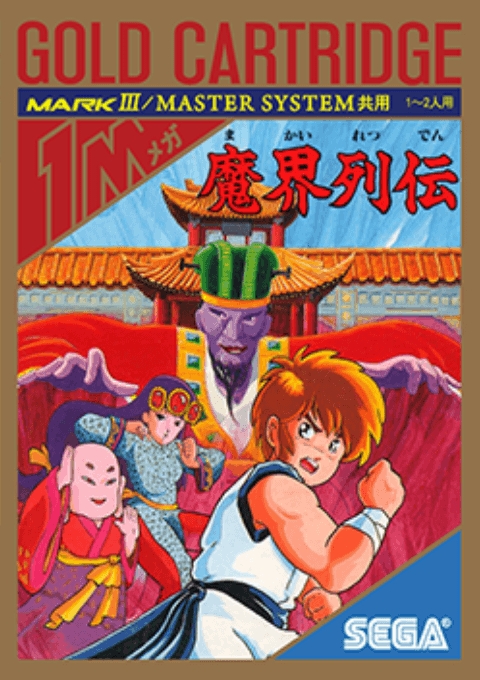
Makai Retsuden
Play Makai Retsuden for Master System online. Jump, kick and use talismans on the road to Madanda’s castle.
Browser play
Sega Master System — EmulatorJS controls
Default Player 1 keyboard mapping. Change keys in Controller Settings.
| Console button | Keyboard |
|---|---|
| ↑ / ↓ / ← / → | ↑ / ↓ / ← / → |
| 1 / START | X |
| 2 | Z |
Open Controller Settings to configure your keyboard or gamepad. Touch controls are available on mobile.
How to Play Makai Retsuden
Quick start
Start a solo game with 1 on controller 1. Move right, kick approaching foes with 2 and jump with 1. Use down+2 against low enemies and practise a second jump when touching a wall.
Controls
Left/right: move; down: crouch. 1: jump; press again against a wall for a wall jump. 2: kick, including in the air; down+2: sweep. Up+2: throw an available talisman. For two players, start with 2 on controller 2.
Makai Retsuden — About this game
Fight through seven rounds of monsters and martial artists. Kicks form the core of combat, with crouching sweeps and airborne attacks helping against enemies at different heights. Jumping against a wall opens routes to higher ledges, while collected talismans provide a limited ranged attack. Watch enemy approaches and save room to retreat rather than letting a crowd surround you.
Makai Retsuden Game manuals
Cheats
No cheats have been added for this edition.
Player verification and sources
Browser play was reviewed before this edition was published in the catalogue. The date below is the catalogue publication date, not the game’s original release date.
- Browser test and catalogue publication date
- Browsers and devices
- PC: Chrome, Edge and Firefox. Mobile: Chrome on Android and Safari on iPhone and iPad.
- Player engine and core
- EmulatorJS 4.3.0-pre · segaMS
- Tested by
- rwEmulator
Sources and editorial basis
rwEmulator reviews edition metadata, release information, game manuals and first-hand browser-play notes. Available manuals are linked below; the editorial policy explains how facts are checked and corrections are handled.