More browsing paths
Play Laser Ghost (Europe edition) Online
Laser Ghost
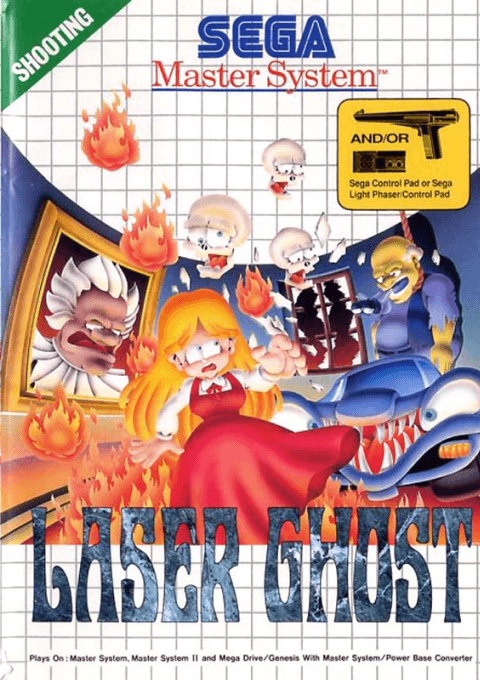
Play Laser Ghost online on Master System. Protect Katherine from ghosts while keeping your shots clear of her.
Browser play
Sega Master System — EmulatorJS controls
Default Player 1 keyboard mapping. Change keys in Controller Settings.
| Console button | Keyboard |
|---|---|
| ↑ / ↓ / ← / → | ↑ / ↓ / ← / → |
| 1 / START | X |
| 2 | Z |
Open Controller Settings to configure your keyboard or gamepad. Touch controls are available on mobile.
How to Play Laser Ghost
Quick start
For pad play, start with 1 or 2 on controller 1. Move the sight away from Katherine before firing. For Light Phaser play, connect the gun to port 1 and a pad to port 2; use the pad to begin when prompted, not the trigger.
Controls
Pad: directions move the sight; 1 normal shot, 2 special shot. Light Phaser: aim and pull the trigger for normal fire; controller 2 button 1 or 2 fires special shots.
Laser Ghost — About this game
Katherine’s stolen soul lies in the Ghost City Hotel. She walks through the haunted streets herself while you shoot the creatures and dangerous objects surrounding her. Aiming matters as much as speed: your shots also hurt the girl you are protecting. Break suspicious scenery for helpful items and save limited special shots for crowded attacks. Each chapter has a timer, so clear her route before time runs out.
Laser Ghost Game manuals
Cheats
No cheats have been added for this edition.
Player verification and sources
Browser play was reviewed before this edition was published in the catalogue. The date below is the catalogue publication date, not the game’s original release date.
- Browser test and catalogue publication date
- Browsers and devices
- PC: Chrome, Edge and Firefox. Mobile: Chrome on Android and Safari on iPhone and iPad.
- Player engine and core
- EmulatorJS 4.3.0-pre · segaMS
- Tested by
- rwEmulator
Sources and editorial basis
rwEmulator reviews edition metadata, release information, game manuals and first-hand browser-play notes. Available manuals are linked below; the editorial policy explains how facts are checked and corrections are handled.