More browsing paths
Play Mopiranger (South Korea edition · English) Online
Mopiranger
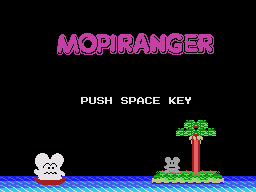
Play Mopiranger online on Master System. Navigate water mazes, rescue captives and turn pursuing enemies to stone.
Browser play
Sega Master System — EmulatorJS controls
Default Player 1 keyboard mapping. Change keys in Controller Settings.
| Console button | Keyboard |
|---|---|
| ↑ / ↓ / ← / → | ↑ / ↓ / ← / → |
| 1 / START | X |
| 2 | Z |
Open Controller Settings to configure your keyboard or gamepad. Touch controls are available on mobile.
How to Play Mopiranger
Quick start
Move beside the first captive to rescue it. Use the stone-beam action when an enemy approaches, but check that the rock will not close the passage you need next.
Controls
Directional control: move the canoe. Stone-beam action: turn an enemy to stone where the beam is effective.
Mopiranger — About this game
Guide the canoe through narrow waterways to reach the captured Moplits. The stone beam can immobilize a Razon, making it useful for creating space, but the resulting rocks also affect where you can move. Look at the next passage before firing so that an escape route stays open. Rescue a captive by passing beside it, then plan the way to the next one while watching the enemies’ movements. Near enemy exit areas, the beam cannot turn them to stone.
Mopiranger Game manuals
Cheats
No cheats have been added for this edition.
Player verification and sources
Browser play was reviewed before this edition was published in the catalogue. The date below is the catalogue publication date, not the game’s original release date.
- Browser test and catalogue publication date
- Browsers and devices
- PC: Chrome, Edge and Firefox. Mobile: Chrome on Android and Safari on iPhone and iPad.
- Player engine and core
- EmulatorJS 4.3.0-pre · segaMS
- Tested by
- rwEmulator
Sources and editorial basis
rwEmulator reviews edition metadata, release information, game manuals and first-hand browser-play notes. Available manuals are linked below; the editorial policy explains how facts are checked and corrections are handled.