More browsing paths
Play Nemesis 2 (South Korea edition · English) Online
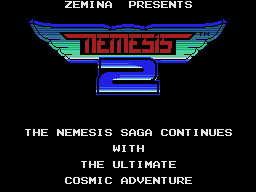
Nemesis 2
Play Nemesis 2 for Master System online. Build your weapon system and enter defeated boss ships for extra upgrades.
Browser play
Sega Master System — EmulatorJS controls
Default Player 1 keyboard mapping. Change keys in Controller Settings.
| Console button | Keyboard |
|---|---|
| ↑ / ↓ / ← / → | ↑ / ↓ / ← / → |
| 1 / START | X |
| 2 | Z |
Open Controller Settings to configure your keyboard or gamepad. Touch controls are available on mobile.
How to Play Nemesis 2
Quick start
Begin the first stage, shoot the opening enemy waves and collect red power pickups. Check the current bonus before activating it.
Controls
Move with the directional pad. Button 1 fires the weapons; button 2 activates the selected power-up.
Nemesis 2 — About this game
Fly through side-scrolling enemy territory, collecting the red pickups that advance your power meter. Activate useful upgrades, from lasers to companion options, while keeping clear of walls and converging enemy waves. Bosses guard the end of stages. Some defeated bosses reveal a blue core: entering it opens an interior challenge with additional weapons to earn. Plan your equipment around the next passage and resist collecting so much speed that the craft becomes hard to steer.
Cheats
No cheats have been added for this edition.
Player verification and sources
Browser play was reviewed before this edition was published in the catalogue. The date below is the catalogue publication date, not the game’s original release date.
- Browser test and catalogue publication date
- Browsers and devices
- PC: Chrome, Edge and Firefox. Mobile: Chrome on Android and Safari on iPhone and iPad.
- Player engine and core
- EmulatorJS 4.3.0-pre · segaMS
- Tested by
- rwEmulator
Sources and editorial basis
rwEmulator reviews edition metadata, release information, game manuals and first-hand browser-play notes. Available manuals are linked below; the editorial policy explains how facts are checked and corrections are handled.