More browsing paths
Play Taz in Escape from Mars (Brazil edition · English) Online
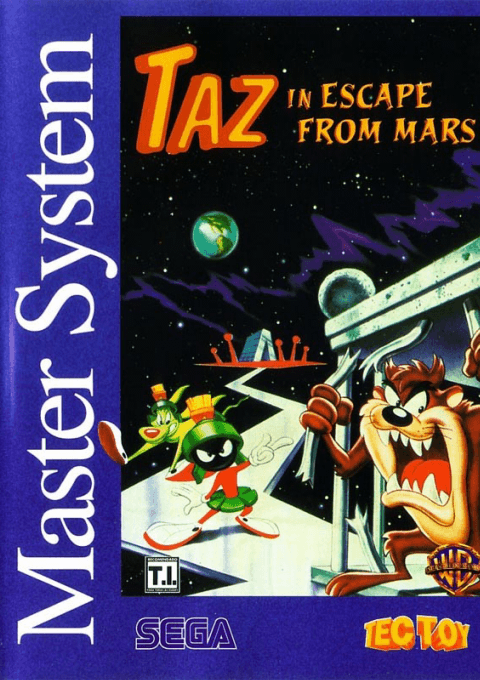
Taz in Escape from Mars
Play Taz in Escape from Mars online — Master System. Help Taz escape a Martian prison through twisting platform stages.
Browser play
Sega Master System — EmulatorJS controls
Default Player 1 keyboard mapping. Change keys in Controller Settings.
| Console button | Keyboard |
|---|---|
| ↑ / ↓ / ← / → | ↑ / ↓ / ← / → |
| 1 / START | X |
| 2 | Z |
Open Controller Settings to configure your keyboard or gamepad. Touch controls are available on mobile.
How to Play Taz in Escape from Mars
Quick start
Move right through the prison, jump between ledges and spin through threats. Step onto the EXIT teleporter to leave the stage.
Controls
Left/right: move. Up/down: look vertically; down also operates door switches. 1: tornado or activate an eaten flight item. 2: jump. After hot sauce, press left or right together with 1 to shoot fireballs.
Taz in Escape from Mars — About this game
Help Taz escape a Martian prison through twisting platform stages. His tornado attack clears enemies and hazards, while jumps carry him between ledges and conveyor belts. Food and unusual objects change what he can do: a propeller hat lets him fly, and hot sauce briefly adds fireballs. Explore cages and side passages for pickups, but avoid eating bombs. Find each exit teleporter to continue the escape.
Cheats
No cheats have been added for this edition.
Player verification and sources
Browser play was reviewed before this edition was published in the catalogue. The date below is the catalogue publication date, not the game’s original release date.
- Browser test and catalogue publication date
- Browsers and devices
- PC: Chrome, Edge and Firefox. Mobile: Chrome on Android and Safari on iPhone and iPad.
- Player engine and core
- EmulatorJS 4.3.0-pre · segaMS
- Tested by
- rwEmulator
Sources and editorial basis
rwEmulator reviews edition metadata, release information, game manuals and first-hand browser-play notes. Available manuals are linked below; the editorial policy explains how facts are checked and corrections are handled.