More browsing paths
Play Taz-Mania (EU_BR edition · English · Edition 146054) Online
Taz-Mania
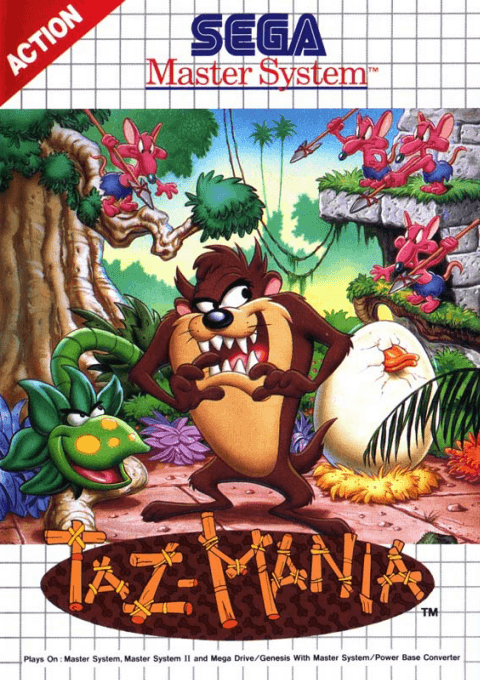
Play Taz-Mania online on Master System. Spin and leap through Tasmania with Taz in search of a giant bird’s egg.
Browser play
Sega Master System — EmulatorJS controls
Default Player 1 keyboard mapping. Change keys in Controller Settings.
| Console button | Keyboard |
|---|---|
| ↑ / ↓ / ← / → | ↑ / ↓ / ← / → |
| 1 / START | X |
| 2 | Z |
Open Controller Settings to configure your keyboard or gamepad. Touch controls are available on mobile.
How to Play Taz-Mania
Quick start
Press 1 through the introduction to begin. Move right, jump over the first gap with 2 and use brief presses of 1 against enemies.
Controls
D-pad: move; down: crouch. 1: start or spin. 2: jump; hold for more height. Press 1 after jumping for a spinning jump.
Taz-Mania — About this game
Taz sets out to find a giant egg after hearing his father’s story about a lost valley. His journey crosses Tasmania’s cliffs, jungle, caves and ruins. Spinning defeats enemies and breaks obstacles, but drains a separate spin meter that recovers when he stops. Jumping remains essential for gaps and hazards, and holding the jump button gives extra height. Food can restore health, although swallowing everything in sight is dangerous. Use short bursts of spinning, watch the ground ahead and save enough energy for the next encounter.
Taz-Mania Game manuals
Cheats
No cheats have been added for this edition.
Player verification and sources
Browser play was reviewed before this edition was published in the catalogue. The date below is the catalogue publication date, not the game’s original release date.
- Browser test and catalogue publication date
- Browsers and devices
- PC: Chrome, Edge and Firefox. Mobile: Chrome on Android and Safari on iPhone and iPad.
- Player engine and core
- EmulatorJS 4.3.0-pre · segaMS
- Tested by
- rwEmulator
Sources and editorial basis
rwEmulator reviews edition metadata, release information, game manuals and first-hand browser-play notes. Available manuals are linked below; the editorial policy explains how facts are checked and corrections are handled.