More browsing paths
Play The Smurfs (EU_BR edition · English / French / German / Spanish) Online
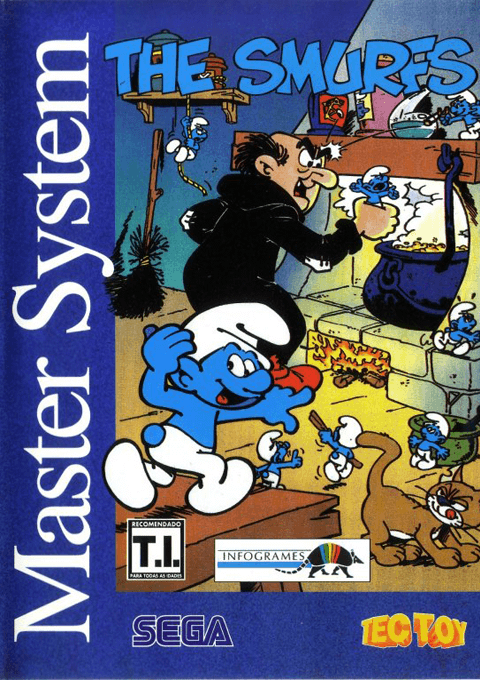
The Smurfs
Play The Smurfs on Master System online. Hefty Smurf travels across Smurf country to rescue three missing friends from Gargamel.
Browser play
Sega Master System — EmulatorJS controls
Default Player 1 keyboard mapping. Change keys in Controller Settings.
| Console button | Keyboard |
|---|---|
| ↑ / ↓ / ← / → | ↑ / ↓ / ← / → |
| 1 / START | X |
| 2 | Z |
Open Controller Settings to configure your keyboard or gamepad. Touch controls are available on mobile.
How to Play The Smurfs
Quick start
Choose a language, select GAME and confirm with 1 or 2.
Controls
D-pad moves/climbs; down crouches or picks up/puts down objects. 1 runs/throws/starts; 2 jumps. Both confirm menu choices; console Pause pauses.
The Smurfs — About this game
Hefty Smurf travels across Smurf country to rescue three missing friends from Gargamel. The journey mixes platform jumps, running and handling objects, so a safe route matters as much as speed. Move through forests and other dangerous places while avoiding enemies and watching the next landing. The menu offers a language choice before the game begins. Learn the difference between running or throwing with 1 and jumping with 2 before pushing further into the adventure.
The Smurfs Game manuals
Cheats
No cheats have been added for this edition.
Player verification and sources
Browser play was reviewed before this edition was published in the catalogue. The date below is the catalogue publication date, not the game’s original release date.
- Browser test and catalogue publication date
- Browsers and devices
- PC: Chrome, Edge and Firefox. Mobile: Chrome on Android and Safari on iPhone and iPad.
- Player engine and core
- EmulatorJS 4.3.0-pre · segaMS
- Tested by
- rwEmulator
Sources and editorial basis
rwEmulator reviews edition metadata, release information, game manuals and first-hand browser-play notes. Available manuals are linked below; the editorial policy explains how facts are checked and corrections are handled.