More browsing paths
Play Virtua Fighter Animation (Brazil edition · English) Online
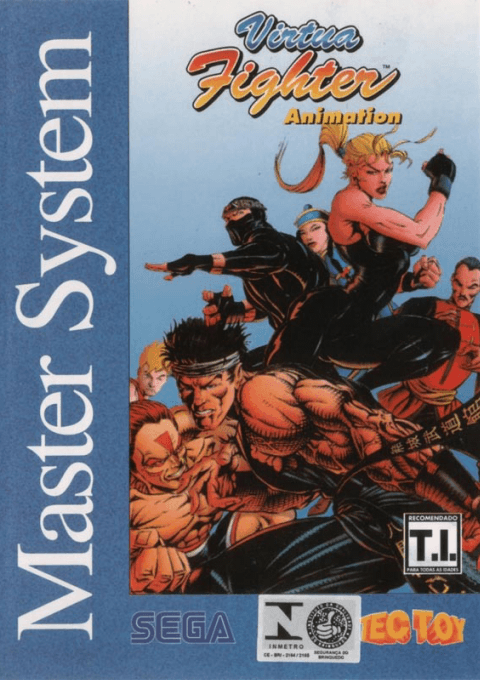
Virtua Fighter Animation
Play Virtua Fighter Animation online — Join Akira’s martial-arts adventure and fight one-on-one bouts.
Browser play
Sega Master System — EmulatorJS controls
Default Player 1 keyboard mapping. Change keys in Controller Settings.
| Console button | Keyboard |
|---|---|
| ↑ / ↓ / ← / → | ↑ / ↓ / ← / → |
| 1 / START | X |
| 2 | Z |
Open Controller Settings to configure your keyboard or gamepad. Touch controls are available on mobile.
How to Play Virtua Fighter Animation
Quick start
Use 1 to skip the opening, then follow the title and mode selections into play.
Controls
D-pad: move and select. Default 1: punch; 2: kick. Either confirms. Story: 1 skips, 2 advances. Attack assignments can be changed in Options.
Virtua Fighter Animation — About this game
Akira Yuki travels to Hong Kong and becomes involved with Pai and the Koenkan gang. Virtua Fighter Animation presents that adventure through story scenes and individual fights. Learn the range of punches and kicks before rushing into close combat. The two attack buttons can be reassigned in the options, so check the setup before practising. Story scenes use different button functions: one skips them, while the other advances the story.
Virtua Fighter Animation Game manuals
Cheats
No cheats have been added for this edition.
Player verification and sources
Browser play was reviewed before this edition was published in the catalogue. The date below is the catalogue publication date, not the game’s original release date.
- Browser test and catalogue publication date
- Browsers and devices
- PC: Chrome, Edge and Firefox. Mobile: Chrome on Android and Safari on iPhone and iPad.
- Player engine and core
- EmulatorJS 4.3.0-pre · segaMS
- Tested by
- rwEmulator
Sources and editorial basis
rwEmulator reviews edition metadata, release information, game manuals and first-hand browser-play notes. Available manuals are linked below; the editorial policy explains how facts are checked and corrections are handled.