More browsing paths
Play Mathe Buddy - 6. Klasse (Europe edition · French / German / Italian) Online
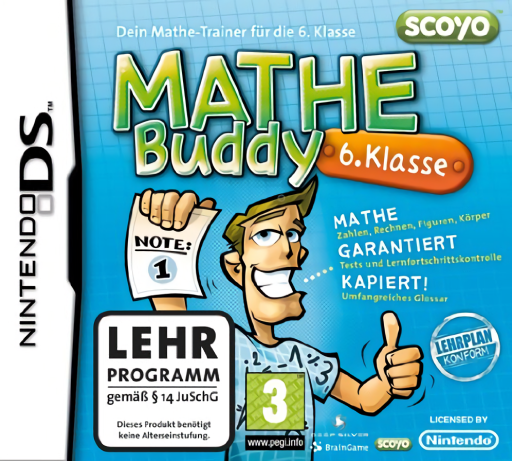
Mathe Buddy - 6. Klasse
Play Mathe Buddy - 6. Klasse online. Work through sixth-year fractions, percentages, equations and geometry tests.
Browser play
Nintendo DS (NDS) — EmulatorJS controls
Default Player 1 keyboard mapping. Change keys in Controller Settings.
| Console button | Keyboard |
|---|---|
| ↑ / ↓ / ← / → | ↑ / ↓ / ← / → |
| A / B / X / Y | Z / X / A / S |
| L / R | Q / E |
| START / SELECT | Enter / V |
| Microphone | Not assigned |
Open Controller Settings to configure your keyboard or gamepad. Touch controls are available on mobile.
How to Play Mathe Buddy - 6. Klasse
Quick start
Choose one mathematics topic and the easiest available exercise. Read Buddy’s example, answer a short set and compare the correction before moving to the test. Revisit a term in the glossary when the question is unclear rather than guessing from the shape of the answer box.
Controls
Use the DS stylus to choose topics and enter the answer format requested by the current exercise. Write numbers in the input area, connect or position items when asked, and use the shown correction controls before submission. Read the task before treating a drawing as a number or a movable object.
Mathe Buddy - 6. Klasse — About this game
The sixth-year Mathe Buddy focuses its exercises and tests on the next school level. Work with number systems, fractions and percentages, then tackle equations, angles and geometric figures. Read the explanation before supplying the requested answer, and use the glossary to clarify a mathematical term rather than guessing the operation. A test lets you check which topics need another practice session. Begin with a manageable fraction problem and review the correction before mixing in geometry. Keep the sixth-year task’s wording in view instead of treating this cartridge as the fifth-year lesson list with a different label. Begin with the opening instructions and practice the main interaction before pursuing optional rewards. Read the current objective, make one deliberate choice and watch its effect before repeating it. A short first session makes it easier to separate a missed instruction from a difficult challenge. Return to the available menu when you need to check progress or adjust your approach, then continue from the next clear objective.
Mathe Buddy - 6. Klasse Game manuals
Cheats
No cheats have been added for this edition.
Player verification and sources
Browser play was reviewed before this edition was published in the catalogue. The date below is the catalogue publication date, not the game’s original release date.
- Browser test and catalogue publication date
- Browsers and devices
- PC: Chrome, Edge and Firefox. Mobile: Chrome on Android and Safari on iPhone and iPad.
- Player engine and core
- EmulatorJS 4.3.0-pre · nds
- Tested by
- rwEmulator
Sources and editorial basis
rwEmulator reviews edition metadata, release information, game manuals and first-hand browser-play notes. Available manuals are linked below; the editorial policy explains how facts are checked and corrections are handled.