More browsing paths
Play Maus DS (Europe edition · English / French / German / Spanish / Italian) Online
Maus DS
Play Maus DS online. Earn stars in picture, memory and aiming mini-games with the Maus friends.
Browser play
Nintendo DS (NDS) — EmulatorJS controls
Default Player 1 keyboard mapping. Change keys in Controller Settings.
| Console button | Keyboard |
|---|---|
| ↑ / ↓ / ← / → | ↑ / ↓ / ← / → |
| A / B / X / Y | Z / X / A / S |
| L / R | Q / E |
| START / SELECT | Enter / V |
| Microphone | Not assigned |
Open Controller Settings to configure your keyboard or gamepad. Touch controls are available on mobile.
How to Play Maus DS
Quick start
Choose Training and try an available game after reading its short instructions. Complete one attempt and inspect the result before replaying for stars. Once the gestures are familiar, try the mixed Diploma challenge instead of guessing the rules during the timer.
Controls
Use the DS stylus to select a mini-game and follow its individual touch instructions. Tap remembered symbols, place a missing picture piece or use the shown aiming controls in the relevant activity. Check the result and replay control before leaving; the same gesture does not apply to every game.
Maus DS — About this game
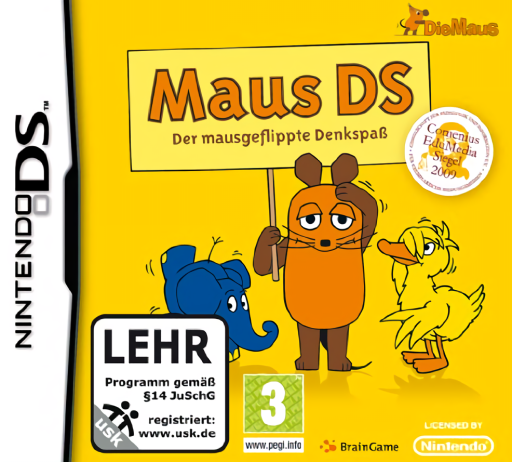
Maus DS collects short thinking and skill games with the Mouse, Elephant and Duck. Training begins with a small available selection and earns stars that open more activities. Complete an incomplete picture, remember symbols before finding them again or aim in the can-tossing challenge. Diploma selects three games for a mixed test and awards playful distinctions according to performance. Begin in Training to learn one rule at a time before the mixed round. These awards measure the game’s challenges rather than a real educational qualification or a guaranteed improvement in memory. Begin with the opening instructions and practice the main interaction before pursuing optional rewards. Read the current objective, make one deliberate choice and watch its effect before repeating it. A short first session makes it easier to separate a missed instruction from a difficult challenge. Return to the available menu when you need to check progress or adjust your approach, then continue from the next clear objective.
Maus DS Game manuals
Cheats
No cheats have been added for this edition.
Player verification and sources
Browser play was reviewed before this edition was published in the catalogue. The date below is the catalogue publication date, not the game’s original release date.
- Browser test and catalogue publication date
- Browsers and devices
- PC: Chrome, Edge and Firefox. Mobile: Chrome on Android and Safari on iPhone and iPad.
- Player engine and core
- EmulatorJS 4.3.0-pre · nds
- Tested by
- rwEmulator
Sources and editorial basis
rwEmulator reviews edition metadata, release information, game manuals and first-hand browser-play notes. Available manuals are linked below; the editorial policy explains how facts are checked and corrections are handled.