More browsing paths
Play Maya (Europe edition · Spanish / Italian) Online
Maya
Play Maya online. Join Maya and friends in meadow mini-games with movement and puzzle challenges.
Browser play
Nintendo DS (NDS) — EmulatorJS controls
Default Player 1 keyboard mapping. Change keys in Controller Settings.
| Console button | Keyboard |
|---|---|
| ↑ / ↓ / ← / → | ↑ / ↓ / ← / → |
| A / B / X / Y | Z / X / A / S |
| L / R | Q / E |
| START / SELECT | Enter / V |
| Microphone | Not assigned |
Open Controller Settings to configure your keyboard or gamepad. Touch controls are available on mobile.
How to Play Maya
Quick start
Choose the first available area and activity. Read the demonstration and identify what earns completion, then try one careful attempt before chasing a higher score. Return to the activity selection after the result and learn the next game’s instruction separately.
Controls
Select areas and activities on the DS screen. Use the directional or touch movement shown by the current mini-game to cross obstacles, and use its displayed selection controls for puzzle tasks. Follow the demonstration for timing and direction; do not assume one fixed jump or touch gesture works across the whole collection.
Maya — About this game
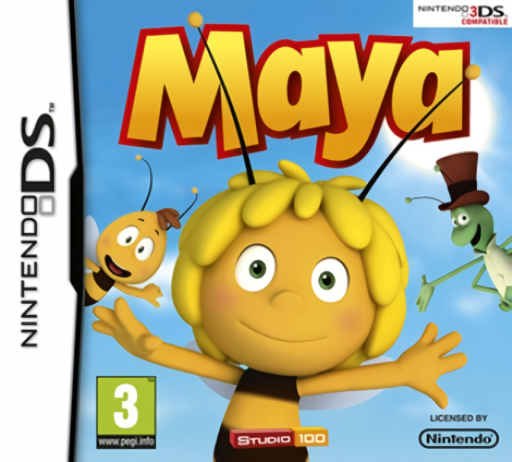
This Maya game follows the newer animated bee and friends through a collection of short activities. Different meadow and forest areas introduce movement challenges, obstacle crossings and puzzles, with performance targets needed to complete the activity. A crossing game asks you to judge a safe route, while other tasks focus on platform-style movement or arranging a solution. Begin with the first available activity, read its goal and learn whether the current task asks for movement, timing or selection. It is a mini-game collection rather than a promise of the older Bee Game’s storm-rescue campaign. Begin with the opening instructions and practice the main interaction before pursuing optional rewards. Read the current objective, make one deliberate choice and watch its effect before repeating it. A short first session makes it easier to separate a missed instruction from a difficult challenge. Return to the available menu when you need to check progress or adjust your approach, then continue from the next clear objective.
Maya Game manuals
Cheats
No cheats have been added for this edition.
Player verification and sources
Browser play was reviewed before this edition was published in the catalogue. The date below is the catalogue publication date, not the game’s original release date.
- Browser test and catalogue publication date
- Browsers and devices
- PC: Chrome, Edge and Firefox. Mobile: Chrome on Android and Safari on iPhone and iPad.
- Player engine and core
- EmulatorJS 4.3.0-pre · nds
- Tested by
- rwEmulator
Sources and editorial basis
rwEmulator reviews edition metadata, release information, game manuals and first-hand browser-play notes. Available manuals are linked below; the editorial policy explains how facts are checked and corrections are handled.