More browsing paths
Play Maya the Bee: Garden Adventures (Europe edition · English / French / German / Spanish) Online
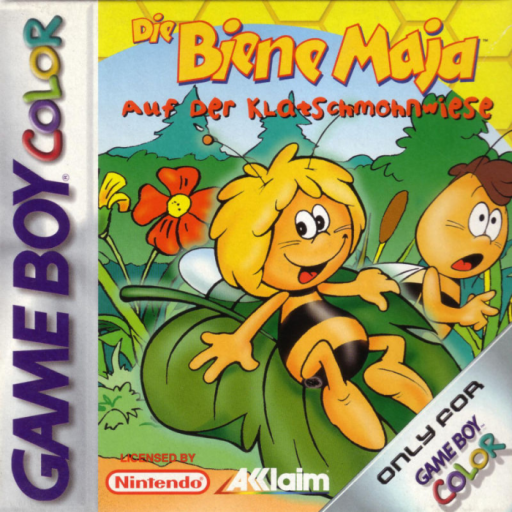
Maya the Bee - Garden Adventures
Play Maya the Bee: Garden Adventures online on GBC. Help Maya rescue Willi by exploring the meadow, finding useful objects and earning help from its inhabitants.
Browser play
Game Boy Color (GBC) — EmulatorJS controls
Default Player 1 keyboard mapping. Change keys in Controller Settings.
| Console button | Keyboard |
|---|---|
| ↑ / ↓ / ← / → | ↑ / ↓ / ← / → |
| A / B | Z / X |
| START / SELECT | Enter / V |
Open Controller Settings to configure your keyboard or gamepad. Touch controls are available on mobile.
How to Play Maya the Bee: Garden Adventures
Quick start
Talk to the first meadow characters, note their requests and examine nearby objects before leaving the area.
Controls
D-pad moves Maya. Use the displayed A/B prompts to talk, examine and handle items; follow menu cues to review choices and return.
Maya the Bee: Garden Adventures — About this game
Listen to what each friend needs and remember where a missing object might be useful. Some paths open through favors rather than direct force, so revisit familiar areas after a new conversation or discovery. Inside dangerous territory, watch the guards and choose a clear moment to move instead of rushing past every obstacle.
Cheats
No cheats have been added for this edition.
Player verification and sources
Browser play was reviewed before this edition was published in the catalogue. The date below is the catalogue publication date, not the game’s original release date.
- Browser test and catalogue publication date
- Browsers and devices
- PC: Chrome, Edge and Firefox. Mobile: Chrome on Android and Safari on iPhone and iPad.
- Player engine and core
- EmulatorJS 4.3.0-pre · gb
- Tested by
- rwEmulator
Sources and editorial basis
rwEmulator reviews edition metadata, release information, game manuals and first-hand browser-play notes. Available manuals are linked below; the editorial policy explains how facts are checked and corrections are handled.