More browsing paths
Play Mechanic Master 2 (US edition) Online
Mechanic Master 2
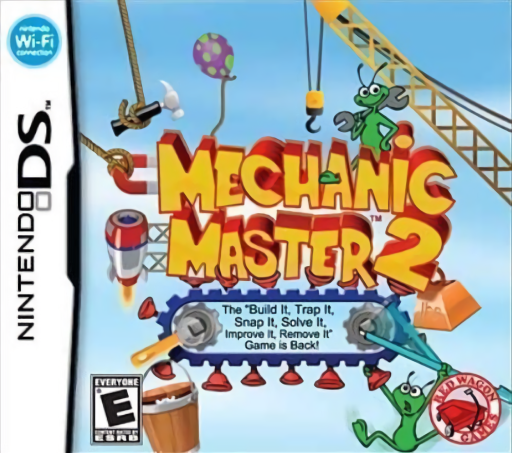
Play Mechanic Master 2 online. Build contraptions to remove purple invaders while keeping the peaceful green aliens safe. Explore the Nintendo DS gameplay and controls.
Browser play
Nintendo DS (NDS) — EmulatorJS controls
Default Player 1 keyboard mapping. Change keys in Controller Settings.
| Console button | Keyboard |
|---|---|
| ↑ / ↓ / ← / → | ↑ / ↓ / ← / → |
| A / B / X / Y | Z / X / A / S |
| L / R | Q / E |
| START / SELECT | Enter / V |
| Microphone | Not assigned |
Open Controller Settings to configure your keyboard or gamepad. Touch controls are available on mobile.
How to Play Mechanic Master 2
Quick start
Choose the start option, open the first available level pack and select an early puzzle. Hold an unfamiliar tool to read its explanation, then drag it from the lower inventory into a free position. Touch the on-screen start control to test. Stop and adjust until the purple aliens are removed and green aliens stay safe.
Controls
Use the stylus to select and drag tools; holding a tool shows its description. Touch the screen’s start control to run the simulation. Drag from an empty area to move the view in placement puzzles. In drawing puzzles, use the selected pen and the Control Pad to pan without drawing unwanted lines.
Mechanic Master 2 — About this game
Arrange robots, platforms and other devices so that a test run removes the purple aliens without harming the green ones. The object-placement puzzles let you inspect available tools, move them into position and stop the simulation to revise the machine. A separate drawing set supplies fixed equipment and limited drawing tools, including platforms and magnets, so every stroke matters. New level packs open as you progress, and the editor offers another space for designing your own mechanical challenges after experimenting with the built-in puzzles.
Mechanic Master 2 Game manuals
Cheats
No cheats have been added for this edition.
Player verification and sources
Browser play was reviewed before this edition was published in the catalogue. The date below is the catalogue publication date, not the game’s original release date.
- Browser test and catalogue publication date
- Browsers and devices
- PC: Chrome, Edge and Firefox. Mobile: Chrome on Android and Safari on iPhone and iPad.
- Player engine and core
- EmulatorJS 4.3.0-pre · nds
- Tested by
- rwEmulator
Sources and editorial basis
rwEmulator reviews edition metadata, release information, game manuals and first-hand browser-play notes. Available manuals are linked below; the editorial policy explains how facts are checked and corrections are handled.