More browsing paths
Play MechAssault: Phantom War (US edition · English) Online
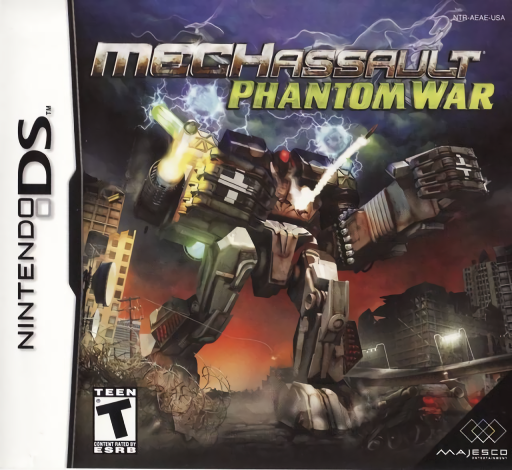
MechAssault - Phantom War
Play MechAssault: Phantom War online. Pilot BattleMechs, switch vehicles and match code symbols to seize enemy machines.
Browser play
Nintendo DS (NDS) — EmulatorJS controls
Default Player 1 keyboard mapping. Change keys in Controller Settings.
| Console button | Keyboard |
|---|---|
| ↑ / ↓ / ← / → | ↑ / ↓ / ← / → |
| A / B / X / Y | Z / X / A / S |
| L / R | Q / E |
| START / SELECT | Enter / V |
| Microphone | Not assigned |
Open Controller Settings to configure your keyboard or gamepad. Touch controls are available on mobile.
How to Play MechAssault: Phantom War
Quick start
Start New Campaign and read the opening mission objective through the question-mark help icon. Practise moving and aiming separately, then lock onto a nearby enemy before firing. Learn the weapon-change panel and how to leave a vehicle before attempting a BattleArmor neurohack.
Controls
In the original booklet’s default layout, the directional pad moves; X/B/Y/A aim up/down/left/right, R fires and L uses jumpjets when available. Tap the lower-right weapon icon to switch and hold upper-left to enter or exit. Neurohacking slides top code symbols onto matching bottom symbols. Options offers other layouts, so check the selected scheme first.
MechAssault: Phantom War — About this game
Phantom War’s single-player Campaign spans twenty-four mission objectives in the BattleTech setting. Move a BattleMech or vehicle, aim separately and use the lower-screen cockpit to change weapons, activate a defensive modification or inspect help. BattleArmor can attach to a hostile Mech and start Neurohacking: slide matching code symbols before the enemy wins the contest, then exit the armor and enter the captured machine. A vehicle’s weapons and defensive options change your approach, so use the Warbook rather than assuming every machine has jumpjets. Begin with one objective and learn the default controls before changing layouts. Begin with the opening instructions and practice the main interaction before pursuing optional rewards. Read the current objective, make one deliberate choice and watch its effect before repeating it. A short first session makes it easier to separate a missed instruction from a difficult challenge. Return to the available menu when you need to check progress or adjust your approach, then continue from the next clear objective.
MechAssault: Phantom War Game manuals
Cheats
No cheats have been added for this edition.
Player verification and sources
Browser play was reviewed before this edition was published in the catalogue. The date below is the catalogue publication date, not the game’s original release date.
- Browser test and catalogue publication date
- Browsers and devices
- PC: Chrome, Edge and Firefox. Mobile: Chrome on Android and Safari on iPhone and iPad.
- Player engine and core
- EmulatorJS 4.3.0-pre · nds
- Tested by
- rwEmulator
Sources and editorial basis
rwEmulator reviews edition metadata, release information, game manuals and first-hand browser-play notes. Available manuals are linked below; the editorial policy explains how facts are checked and corrections are handled.