More browsing paths
Play Metroid Prime Pinball (US edition · English) Online
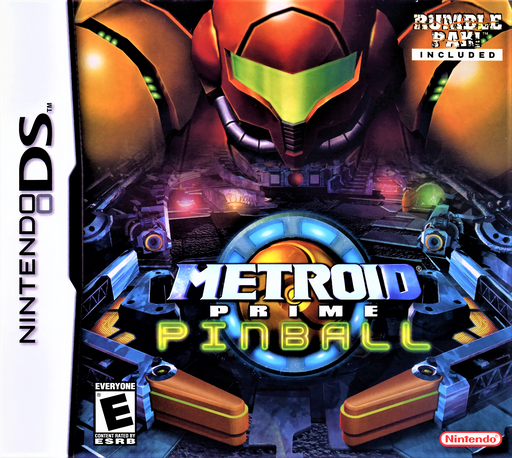
Metroid Prime Pinball
Play Metroid Prime Pinball online. Learn DS flipper controls, table selection and Artifact missions with Samus in Morph Ball form.
Browser play
Nintendo DS (NDS) — EmulatorJS controls
Default Player 1 keyboard mapping. Change keys in Controller Settings.
| Console button | Keyboard |
|---|---|
| ↑ / ↓ / ← / → | ↑ / ↓ / ← / → |
| A / B / X / Y | Z / X / A / S |
| L / R | Q / E |
| START / SELECT | Enter / V |
| Microphone | Not assigned |
Open Controller Settings to configure your keyboard or gamepad. Touch controls are available on mobile.
How to Play Metroid Prime Pinball
Quick start
Select Multi Mission, then use up or down to choose a starting table and A to confirm. Begin with Pirate Frigate or Tallon Overworld, practice returning the ball with the flippers and follow the flashing table targets to start objectives.
Controls
L operates the left flipper; R or A operates the right. Left and right on the directional pad also control the corresponding flippers. Drag a finger across the touch screen to nudge the table in that direction. In Morph Ball form, B uses a bomb and Y a Power Bomb; X fires missiles in Combat Mode. START pauses.
Metroid Prime Pinball — About this game
Metroid Prime Pinball builds its tables around Samus and the world of Tallon IV. Keeping the ball in play is only the beginning: missions send you toward marked targets, enemy encounters and Artifacts that open further tables. Combat sections let Samus leave Morph Ball form to fight, while health and ammunition pickups help sustain the run. Multi Mission follows this progression through successive challenges. Single Mission concentrates on individual tables and records, with more tables becoming available through progress in Multi Mission. The original cartridge also includes an eight-player local Wireless Mission on the Magmoor Caverns table.
Metroid Prime Pinball Game manuals
Cheats
No cheats have been added for this edition.
Player verification and sources
Browser play was reviewed before this edition was published in the catalogue. The date below is the catalogue publication date, not the game’s original release date.
- Browser test and catalogue publication date
- Browsers and devices
- PC: Chrome, Edge and Firefox. Mobile: Chrome on Android and Safari on iPhone and iPad.
- Player engine and core
- EmulatorJS 4.3.0-pre · nds
- Tested by
- rwEmulator
Sources and editorial basis
rwEmulator reviews edition metadata, release information, game manuals and first-hand browser-play notes. Available manuals are linked below; the editorial policy explains how facts are checked and corrections are handled.