More browsing paths
Play Mimi's Party Fun! (US edition · English) Online
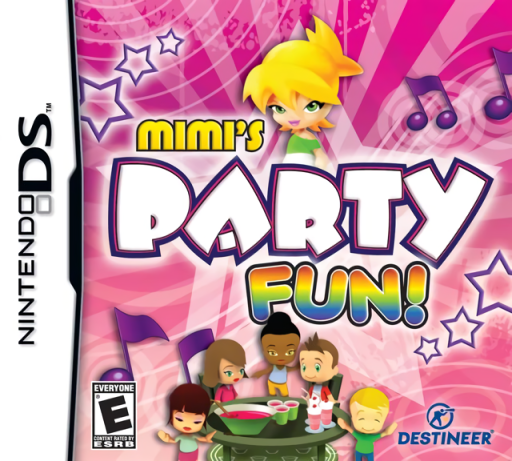
Mimi's Party Fun!
Play Mimi's Party Fun! online. Seat party guests, maintain refreshments and keep Mimi’s dance floor moving.
Browser play
Nintendo DS (NDS) — EmulatorJS controls
Default Player 1 keyboard mapping. Change keys in Controller Settings.
| Console button | Keyboard |
|---|---|
| ↑ / ↓ / ← / → | ↑ / ↓ / ← / → |
| A / B / X / Y | Z / X / A / S |
| L / R | Q / E |
| START / SELECT | Enter / V |
| Microphone | Not assigned |
Open Controller Settings to configure your keyboard or gamepad. Touch controls are available on mobile.
How to Play Mimi's Party Fun!
Quick start
Start the first party and read its service objective. Seat one guest, follow the food, drink or dance request and check the reaction. Complete a short mini-game when prompted, then compare pending requests before serving the next guest.
Controls
Use the DS stylus to select a guest and the relevant seat, food station or dance area. Follow the current mini-game’s touch prompts for preparing a platter or helping the DJ. Choose lounge upgrades through the decoration menu after checking what has unlocked.
Mimi's Party Fun! — About this game
Help Mimi work toward Prom Queen by coordinating themed parties. Seat arriving guests, keep food and beverage stations ready and direct people toward the dance floor before requests pile up. The DS game combines more than sixty levels across twelve themed stages with twelve mini-game activities, including platter preparation and DJ tasks. Completing challenges opens furniture, paint and dance-floor changes for the lounge, along with trophies and ranks. Begin with the first party, learn one guest request and finish it before accepting too many tasks. Watch the current objective and bottleneck, since a decorated room still needs timely service.
Mimi's Party Fun! Game manuals
Cheats
No cheats have been added for this edition.
Player verification and sources
Browser play was reviewed before this edition was published in the catalogue. The date below is the catalogue publication date, not the game’s original release date.
- Browser test and catalogue publication date
- Browsers and devices
- PC: Chrome, Edge and Firefox. Mobile: Chrome on Android and Safari on iPhone and iPad.
- Player engine and core
- EmulatorJS 4.3.0-pre · nds
- Tested by
- rwEmulator
Sources and editorial basis
rwEmulator reviews edition metadata, release information, game manuals and first-hand browser-play notes. Available manuals are linked below; the editorial policy explains how facts are checked and corrections are handled.