More browsing paths
Play Mindseeker (Japan edition · Japanese) Online
Mindseeker
Play Mindseeker online. Experience lectures at the Psychic Development Center, card guessing, and city events. Also introduces how to use FEEL and EXIT and how to save.
Browser play
Nintendo Entertainment System (NES) / Famicom — EmulatorJS controls
Default Player 1 keyboard mapping. Change keys in Controller Settings.
| Console button | Keyboard |
|---|---|
| ↑ / ↓ / ← / → | ↑ / ↓ / ← / → |
| A / B | Z / X |
| START / SELECT | Enter / V |
Open Controller Settings to configure your keyboard or gamepad. Touch controls are available on mobile.
How to Play Mindseeker
Quick start
Press START, select NEW GAME with the cross button, and confirm with A. For the name, select a letter with the cross button, enter it with A, and select "End". Decide on the message speed and start with "Touroku Shuryo". At the beginning, follow the instructions and press EXIT to go back and forth between your room and the computer room. In FEEL, move the cursor to the computer and press A to check lectures and instructions. If you don't know what to do next, look up ``Jouhou.'' Before the interruption, FEEL the computer in your room and save from "Kiroku".
Controls
Cross button: Commands, characters, cards, destination selection and cursor movement. A: Make decisions, send messages, and enter assignments. B: Cancel commands, send messages. START: Displays the start screen. After selecting FEEL, move the cursor to the target and use A and EXIT to move the location. For basic training, select "1P" and press A to start, select "END" and end with A. For clairvoyance and precognition, use the cross button to select the answer, and for telekinesis, press A to advance.
Mindseeker — About this game
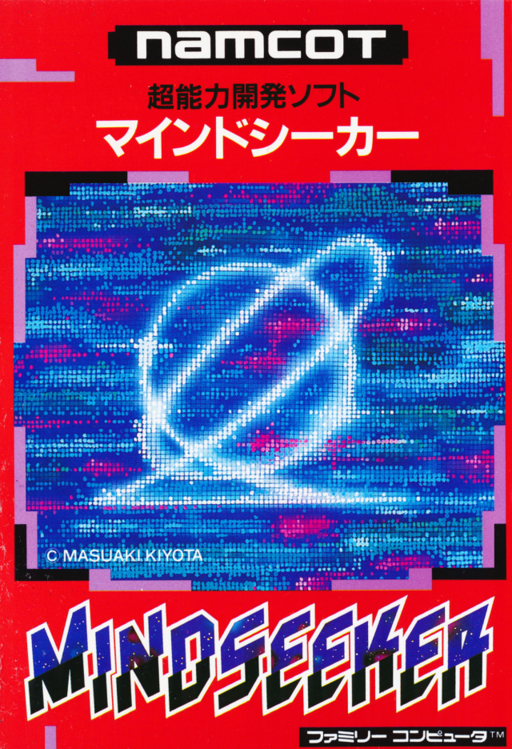
A Famicom work in which you experience a fictional supernatural power development program guided by Esper Kiyota. During the first half, students attend lectures at the center and work on tasks based on clairvoyance, telekinesis, and precognition, such as guessing the design of a face-down card or the location of a lamp. The system uses FEEL to examine objects and computers on the screen and select the next action from the displayed menu, so it is important to read the instructions as you proceed. After passing the graduation exam, you can go out into the city and move on to the second half, where you collect points at events in various places. Recording and saving of training results is also available. This is a game where you can enjoy the setting of developing superpowers, and there is no guarantee that you will acquire real special powers through play.
Cheats
No cheats have been added for this edition.
Player verification and sources
Browser play was reviewed before this edition was published in the catalogue. The date below is the catalogue publication date, not the game’s original release date.
- Browser test and catalogue publication date
- Browsers and devices
- PC: Chrome, Edge and Firefox. Mobile: Chrome on Android and Safari on iPhone and iPad.
- Player engine and core
- EmulatorJS 4.3.0-pre · nes
- Tested by
- rwEmulator
Sources and editorial basis
rwEmulator reviews edition metadata, release information, game manuals and first-hand browser-play notes. Available manuals are linked below; the editorial policy explains how facts are checked and corrections are handled.