More browsing paths
Play Minna Atsumare! - Quiz Party (Japan edition) Online
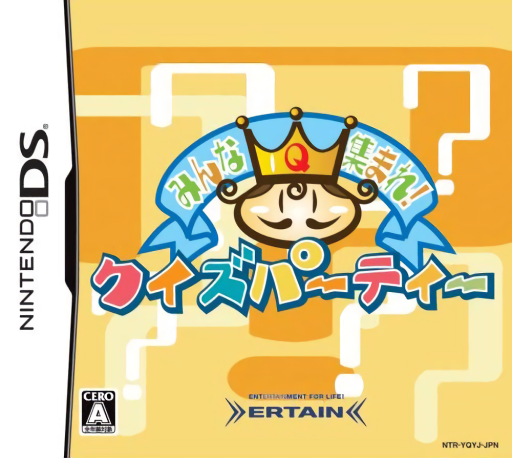
Minna Atsumare! - Quiz Party
Play Minna Atsumare! - Quiz Party online. Host a handwritten quiz party or practice five question formats alone.
Browser play
Nintendo DS (NDS) — EmulatorJS controls
Default Player 1 keyboard mapping. Change keys in Controller Settings.
| Console button | Keyboard |
|---|---|
| ↑ / ↓ / ← / → | ↑ / ↓ / ← / → |
| A / B / X / Y | Z / X / A / S |
| L / R | Q / E |
| START / SELECT | Enter / V |
| Microphone | Not assigned |
Open Controller Settings to configure your keyboard or gamepad. Touch controls are available on mobile.
How to Play Minna Atsumare! - Quiz Party
Quick start
Open solo Challenge and try a true-or-false set. For local multiplayer, assign a human host, choose question count and answering rules, then explain them before reading the first question aloud.
Controls
Use the DS touch screen to choose quiz settings and write party answers with the stylus. The host reads and judges the answers using the displayed scoring controls. In solo Challenge, select or arrange the response requested by the current question.
Minna Atsumare! - Quiz Party — About this game
Quiz Party lets a human host choose the answer format and question count, read the displayed questions aloud and judge answers written on the other players' DS screens. The host controls scoring and can even reward an amusing response or ask an original question. This makes the group session different from a fully automatic quiz. Begin alone in Challenge to learn true-or-false, three-choice, four-choice, association and ordering questions. For a local party, decide who will host and explain the answer limit before the first round; handwriting should remain clear enough for that person to read.
Minna Atsumare! - Quiz Party Game manuals
Cheats
No cheats have been added for this edition.
Player verification and sources
Browser play was reviewed before this edition was published in the catalogue. The date below is the catalogue publication date, not the game’s original release date.
- Browser test and catalogue publication date
- Browsers and devices
- PC: Chrome, Edge and Firefox. Mobile: Chrome on Android and Safari on iPhone and iPad.
- Player engine and core
- EmulatorJS 4.3.0-pre · nds
- Tested by
- rwEmulator
Sources and editorial basis
rwEmulator reviews edition metadata, release information, game manuals and first-hand browser-play notes. Available manuals are linked below; the editorial policy explains how facts are checked and corrections are handled.