More browsing paths
Play Minna no Conveni (Japan edition · Japanese) Online
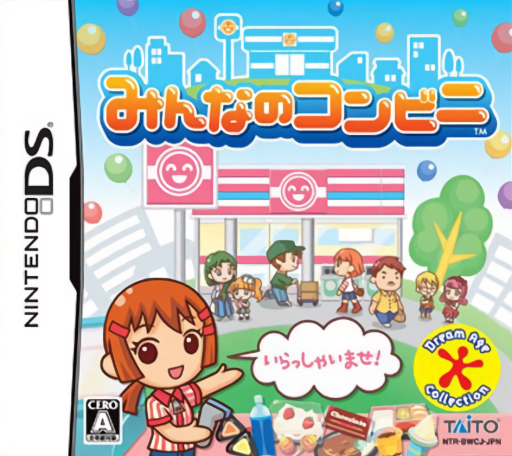
Minna no Conveni
Play Minna no Conveni online. Help a family convenience store grow by completing touch-screen jobs and customer requests.
Browser play
Nintendo DS (NDS) — EmulatorJS controls
Default Player 1 keyboard mapping. Change keys in Controller Settings.
| Console button | Keyboard |
|---|---|
| ↑ / ↓ / ← / → | ↑ / ↓ / ← / → |
| A / B / X / Y | Z / X / A / S |
| L / R | Q / E |
| START / SELECT | Enter / V |
| Microphone | Not assigned |
Open Controller Settings to configure your keyboard or gamepad. Touch controls are available on mobile.
How to Play Minna no Conveni
Quick start
Follow the opening store introduction and touch a shelf task. Complete its requested gesture, inspect the customer increase and check nearby objects or exclamation-mark customers for another job.
Controls
Use the DS stylus to select products, objects and customers. Each job shows its own touch action, so follow the sorting, cleaning or carrying instruction currently displayed. Use destination choices to visit the shops that customize your store and outfit.
Minna no Conveni — About this game
Help at your grandfather’s quiet convenience store, completing short jobs to restock shelves, attract customers and expand the shop. Touch products, objects or people to find tasks: a bin starts sorting rubbish, a microwave starts cleaning and a delivery worker offers carrying work. Customers may also request a particular item. Begin with one shelf job and check its result, then seek a request marked with an exclamation sign. Better work progresses your role from newcomer toward manager and opens ways to change the shop’s appearance.
Minna no Conveni Game manuals
Cheats
No cheats have been added for this edition.
Player verification and sources
Browser play was reviewed before this edition was published in the catalogue. The date below is the catalogue publication date, not the game’s original release date.
- Browser test and catalogue publication date
- Browsers and devices
- PC: Chrome, Edge and Firefox. Mobile: Chrome on Android and Safari on iPhone and iPad.
- Player engine and core
- EmulatorJS 4.3.0-pre · nds
- Tested by
- rwEmulator
Sources and editorial basis
rwEmulator reviews edition metadata, release information, game manuals and first-hand browser-play notes. Available manuals are linked below; the editorial policy explains how facts are checked and corrections are handled.