More browsing paths
Play Minna to Kimi no Piramekino! (Japan edition · Japanese) Online
Minna to Kimi no Piramekino!
Play Minna to Kimi no Piramekino! online. Create a studio avatar, meet the cast and play Piramekino’s variety-show activities.
Browser play
Nintendo DS (NDS) — EmulatorJS controls
Default Player 1 keyboard mapping. Change keys in Controller Settings.
| Console button | Keyboard |
|---|---|
| ↑ / ↓ / ← / → | ↑ / ↓ / ← / → |
| A / B / X / Y | Z / X / A / S |
| L / R | Q / E |
| START / SELECT | Enter / V |
| Microphone | Not assigned |
Open Controller Settings to configure your keyboard or gamepad. Touch controls are available on mobile.
How to Play Minna to Kimi no Piramekino!
Quick start
Finish an avatar and meet one studio character. Open the first available segment, read its goal and action prompt and complete one attempt. Check the relationship response before choosing another segment.
Controls
Use the DS character editor and menu choices to select parts, conversations and segments. Follow each minigame’s displayed DS button or stylus prompts; the action changes between segments. Review the result and return to the studio to choose the next character or activity.
Minna to Kimi no Piramekino! — About this game
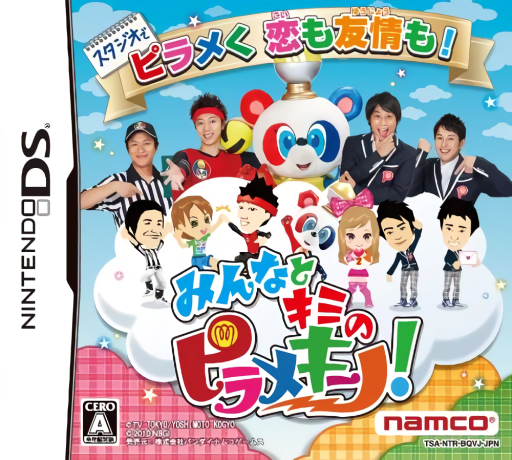
Build a character from facial, hair and clothing parts and enter Piramekino’s studio world. Talk to cast members and friend characters, then join playable versions of television segments such as One Target and Onara Hazukashikunaiyo. Shared activities develop the game’s friendship or affection relationships, making conversation and minigames part of the same routine. Begin by finishing an avatar, meeting one character and reading the first segment’s own instructions. The segments use different goals, so learn the displayed action before chasing a better result or switching to another activity.
Minna to Kimi no Piramekino! Game manuals
Cheats
No cheats have been added for this edition.
Player verification and sources
Browser play was reviewed before this edition was published in the catalogue. The date below is the catalogue publication date, not the game’s original release date.
- Browser test and catalogue publication date
- Browsers and devices
- PC: Chrome, Edge and Firefox. Mobile: Chrome on Android and Safari on iPhone and iPad.
- Player engine and core
- EmulatorJS 4.3.0-pre · nds
- Tested by
- rwEmulator
Sources and editorial basis
rwEmulator reviews edition metadata, release information, game manuals and first-hand browser-play notes. Available manuals are linked below; the editorial policy explains how facts are checked and corrections are handled.