More browsing paths
Play Missile Command (Europe edition · English) Online
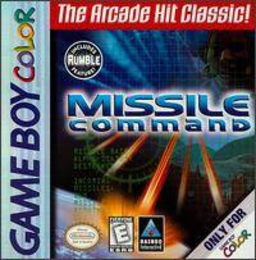
Missile Command
Play Missile Command online on GBC. Defend cities from descending warheads by aiming interceptor explosions into their paths. The crosshair marks where a missile will burst, not an instant hit, so you must lead approaching threats and use the growing blast to catch several targets.
Browser play
Game Boy Color (GBC) — EmulatorJS controls
Default Player 1 keyboard mapping. Change keys in Controller Settings.
| Console button | Keyboard |
|---|---|
| ↑ / ↓ / ← / → | ↑ / ↓ / ← / → |
| A / B | Z / X |
| START / SELECT | Enter / V |
Open Controller Settings to configure your keyboard or gamepad. Touch controls are available on mobile.
How to Play Missile Command
Quick start
Begin a one-player game and watch the first incoming paths. Place the crosshair ahead of a warhead, fire from either battery and move on to the next aiming point while the first shot travels.
Controls
The D-pad moves the crosshair. A fires from the right battery and B from the left, provided that battery has ammunition. START pauses and resumes.
Missile Command — About this game
Missile Command for Game Boy Color. Aim for the tip of an incoming trail: hitting only the old smoke does not destroy the warhead. Watch both batteries’ ammunition and move the crosshair to the next threat after firing. A well-positioned blast can protect more than one approach.
Missile Command Game manuals
Cheats
No cheats have been added for this edition.
Player verification and sources
Browser play was reviewed before this edition was published in the catalogue. The date below is the catalogue publication date, not the game’s original release date.
- Browser test and catalogue publication date
- Browsers and devices
- PC: Chrome, Edge and Firefox. Mobile: Chrome on Android and Safari on iPhone and iPad.
- Player engine and core
- EmulatorJS 4.3.0-pre · gb
- Tested by
- rwEmulator
Sources and editorial basis
rwEmulator reviews edition metadata, release information, game manuals and first-hand browser-play notes. Available manuals are linked below; the editorial policy explains how facts are checked and corrections are handled.