More browsing paths
Play Mitsukete! Keroro Gunsou - Machigai Sagashi Daisakusen de Arimasu! (Japan edition · Japanese) Online
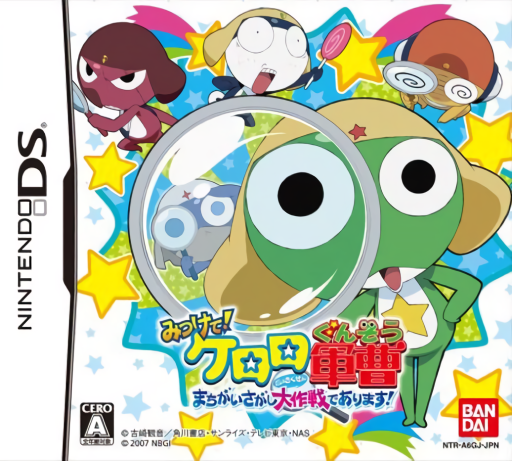
Mitsukete! Keroro Gunsou - Machigai Sagashi Daisakusen de Arimasu!
Play Mitsukete! Keroro Gunsou - Machigai Sagashi Daisakusen de Arimasu! online. Compare Keroro pictures, circle differences and clear DS-specific visual obstacles.
Browser play
Nintendo DS (NDS) — EmulatorJS controls
Default Player 1 keyboard mapping. Change keys in Controller Settings.
| Console button | Keyboard |
|---|---|
| ↑ / ↓ / ← / → | ↑ / ↓ / ← / → |
| A / B / X / Y | Z / X / A / S |
| L / R | Q / E |
| START / SELECT | Enter / V |
| Microphone | Not assigned |
Open Controller Settings to configure your keyboard or gamepad. Touch controls are available on mobile.
How to Play Mitsukete! Keroro Gunsou - Machigai Sagashi Daisakusen de Arimasu!
Quick start
Choose the first visual challenge and compare the same region on both screens. Circle one confirmed difference, inspect feedback and reveal any covering only when that round asks for it.
Controls
Circle differences on the DS touch screen with the stylus. Scratch the covering film when shown, or blow into the microphone to move obstructing balloons in the appropriate round. The gallery and assessment choices have different timing goals, so read the selected mode first.
Mitsukete! Keroro Gunsou - Machigai Sagashi Daisakusen de Arimasu! — About this game
Compare the illustrations on the upper and lower DS screens and circle the parts that differ. The Keroro cast presents scenes, but some rounds also cover the view with balloons or a scratchable film, so uncover the picture before judging a detail. The assessment mode uses correct answers and the time taken, while the gallery allows a more relaxed look through multiple differences. Start with an unobstructed picture and scan one region at a time, checking object shapes and missing details before drawing a clear circle.
Mitsukete! Keroro Gunsou - Machigai Sagashi Daisakusen de Arimasu! Game manuals
Cheats
No cheats have been added for this edition.
Player verification and sources
Browser play was reviewed before this edition was published in the catalogue. The date below is the catalogue publication date, not the game’s original release date.
- Browser test and catalogue publication date
- Browsers and devices
- PC: Chrome, Edge and Firefox. Mobile: Chrome on Android and Safari on iPhone and iPad.
- Player engine and core
- EmulatorJS 4.3.0-pre · nds
- Tested by
- rwEmulator
Sources and editorial basis
rwEmulator reviews edition metadata, release information, game manuals and first-hand browser-play notes. Available manuals are linked below; the editorial policy explains how facts are checked and corrections are handled.