More browsing paths
Play Mobile Golf (Japan edition · Japanese) Online
Mobile Golf
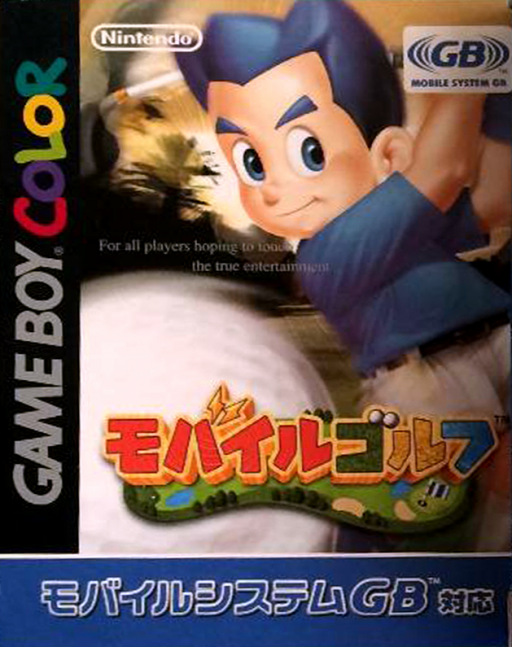
Play Mobile Golf online on Game Boy Color. Create a golfer and develop their abilities in Mobile Golf. Choose a club and direction for each shot, set its strength and work through solo golf activities while experience gradually improves your character.
Browser play
Game Boy Color (GBC) — EmulatorJS controls
Default Player 1 keyboard mapping. Change keys in Controller Settings.
| Console button | Keyboard |
|---|---|
| ↑ / ↓ / ← / → | ↑ / ↓ / ← / → |
| A / B | Z / X |
| START / SELECT | Enter / V |
Open Controller Settings to configure your keyboard or gamepad. Touch controls are available on mobile.
How to Play Mobile Golf
Quick start
Create a character, confirm their abilities and choose a solo practice mode. Select club and direction, then use A to set shot strength and examine where the ball lands.
Controls
Left/Right sets shot direction, Up/Down selects a club, A sets shot or putt strength and B changes shot/putt type. SELECT zooms around the green and START opens the pause menu. Menus use D-pad and A; B cancels.
Mobile Golf — About this game
Begin with the available character choices and read the starting abilities. Training lets you practise without earning experience; other solo modes can build it. Learn an ordinary shot before experimenting with different shot types, and compare the landing point with the line you planned.
Mobile Golf Game manuals
Cheats
No cheats have been added for this edition.
Player verification and sources
Browser play was reviewed before this edition was published in the catalogue. The date below is the catalogue publication date, not the game’s original release date.
- Browser test and catalogue publication date
- Browsers and devices
- PC: Chrome, Edge and Firefox. Mobile: Chrome on Android and Safari on iPhone and iPad.
- Player engine and core
- EmulatorJS 4.3.0-pre · gb
- Tested by
- rwEmulator
Sources and editorial basis
rwEmulator reviews edition metadata, release information, game manuals and first-hand browser-play notes. Available manuals are linked below; the editorial policy explains how facts are checked and corrections are handled.