More browsing paths
Play Monopoly (SGB Enhanced · Japan edition · Japanese) Online
Monopoly
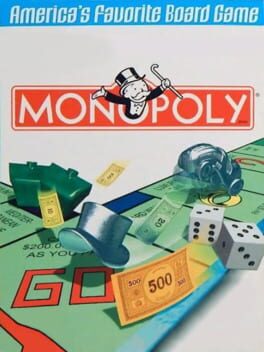
Play Monopoly online on GBC. Roll around the property board, buy streets and collect rent while keeping enough cash for your own bills. The computer acts as banker, leaving you to decide which properties to acquire and when to bargain or develop a group.
Browser play
Game Boy Color (GBC) — EmulatorJS controls
Default Player 1 keyboard mapping. Change keys in Controller Settings.
| Console button | Keyboard |
|---|---|
| ↑ / ↓ / ← / → | ↑ / ↓ / ← / → |
| A / B | Z / X |
| START / SELECT | Enter / V |
Open Controller Settings to configure your keyboard or gamepad. Touch controls are available on mobile.
How to Play Monopoly
Quick start
Press START, choose two players and set a computer opponent. Select your token and begin. When you land on unowned property, A buys it; B offers it at auction.
Controls
The D-pad scrolls options and board information. A confirms and buys unowned property; B exits or sends a property to auction. SELECT opens the main menu. START begins.
Monopoly — About this game
Monopoly for Game Boy Color. Buying everything can leave too little money for another player’s rent. Watch color groups, building opportunities and cash reserves together. Human and computer opponents take turns, and preset games offer a quicker route into property trading.
Monopoly Game manuals
Cheats
No cheats have been added for this edition.
Player verification and sources
Browser play was reviewed before this edition was published in the catalogue. The date below is the catalogue publication date, not the game’s original release date.
- Browser test and catalogue publication date
- Browsers and devices
- PC: Chrome, Edge and Firefox. Mobile: Chrome on Android and Safari on iPhone and iPad.
- Player engine and core
- EmulatorJS 4.3.0-pre · gb
- Tested by
- rwEmulator
Sources and editorial basis
rwEmulator reviews edition metadata, release information, game manuals and first-hand browser-play notes. Available manuals are linked below; the editorial policy explains how facts are checked and corrections are handled.