More browsing paths
Play Monster Force (Europe edition · English / French / German / Spanish / Italian) Online
Monster Force
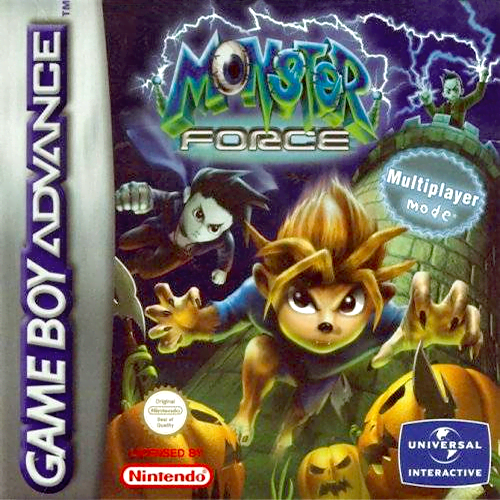
Play Monster Force online on GBA and guide Frank, Drac or Wolfie through nine zones using dashes, normal shots, charged Force Combos, Triple Shots and collectible tools.
Browser play
Game Boy Advance (GBA) — EmulatorJS controls
Default Player 1 keyboard mapping. Change keys in Controller Settings.
| Console button | Keyboard |
|---|---|
| ↑ / ↓ / ← / → | ↑ / ↓ / ← / → |
| A / B | Z / X |
| L / R | Q / E |
| START / SELECT | Enter / V |
Open Controller Settings to configure your keyboard or gamepad. Touch controls are available on mobile.
How to Play Monster Force
Quick start
Choose New Game, select one of the three young monsters and begin the first of Monsterland’s nine zones. The first two stages in a zone ask you to reach the end alive; its third stage adds a skill test. Follow Igor’s message screens, try normal, charged Force Combo and Triple shots against unfamiliar enemies, and collect atoms and tools before advancing.
Controls
D-pad moves and highlights menu choices; A confirms and dashes while moving; B fires a normal shot, holding B fires a Force Combo shot, and pressing B three times quickly performs a Triple Shot. L cycles the tool inventory, R uses the displayed tool, SELECT drops the held relic or tool, and START pauses or resumes.
Monster Force Game manuals
Cheats
No cheats have been added for this edition.
Player verification and sources
Browser play was reviewed before this edition was published in the catalogue. The date below is the catalogue publication date, not the game’s original release date.
- Browser test and catalogue publication date
- Browsers and devices
- PC: Chrome, Edge and Firefox. Mobile: Chrome on Android and Safari on iPhone and iPad.
- Player engine and core
- EmulatorJS 4.3.0-pre · gba
- Tested by
- rwEmulator
Sources and editorial basis
rwEmulator reviews edition metadata, release information, game manuals and first-hand browser-play notes. Available manuals are linked below; the editorial policy explains how facts are checked and corrections are handled.