More browsing paths
Play Monster High - 13 Wishes (US edition · English / French / Spanish) Online
Monster High - 13 Wishes
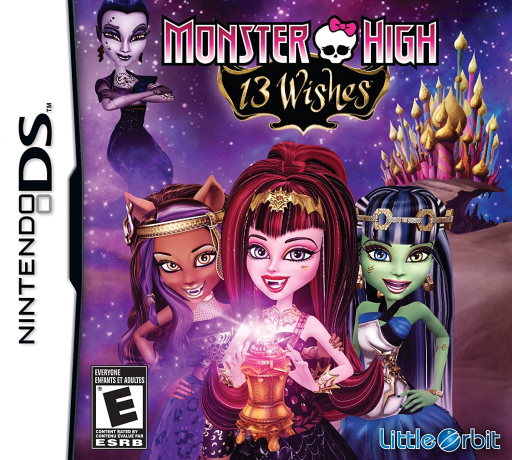
Play Monster High - 13 Wishes online. Jump, climb and swing through the lantern world to recover thirteen magical mirror shards.
Browser play
Nintendo DS (NDS) — EmulatorJS controls
Default Player 1 keyboard mapping. Change keys in Controller Settings.
| Console button | Keyboard |
|---|---|
| ↑ / ↓ / ← / → | ↑ / ↓ / ← / → |
| A / B / X / Y | Z / X / A / S |
| L / R | Q / E |
| START / SELECT | Enter / V |
| Microphone | Not assigned |
Open Controller Settings to configure your keyboard or gamepad. Touch controls are available on mobile.
How to Play Monster High - 13 Wishes
Quick start
Begin the first available solo level and practice a short jump from safe ground. Read the first climb or swing prompt, cross one obstacle and inspect the route before chasing a mirror-related collectible.
Controls
Move with the DS directional controls and use the jump or interaction action shown by the current area. Follow the prompt when a surface can be climbed or a grip used for swinging. Use the displayed character or menu choices when offered, checking the new action before advancing.
Monster High - 13 Wishes — About this game
Frankie Stein and her ghoulfriends enter the magic lantern to recover thirteen mirror shards and put their school’s troubles right. The DS adventure uses side-view platform routes with jumping, climbing and swinging between hazards. Watch for a ledge or route opening that needs a different approach, and inspect a new character’s displayed action before trying to force the same jump repeatedly. Begin in the first available area, learn movement and one short jump, then check the path ahead before pursuing a collectible. Move from safe ground to safe ground so a missed landing does not erase the progress of a careful route.
Monster High - 13 Wishes Game manuals
Cheats
No cheats have been added for this edition.
Player verification and sources
Browser play was reviewed before this edition was published in the catalogue. The date below is the catalogue publication date, not the game’s original release date.
- Browser test and catalogue publication date
- Browsers and devices
- PC: Chrome, Edge and Firefox. Mobile: Chrome on Android and Safari on iPhone and iPad.
- Player engine and core
- EmulatorJS 4.3.0-pre · nds
- Tested by
- rwEmulator
Sources and editorial basis
rwEmulator reviews edition metadata, release information, game manuals and first-hand browser-play notes. Available manuals are linked below; the editorial policy explains how facts are checked and corrections are handled.