More browsing paths
Play Monster Traveler (Japan edition · Japanese) Online
Monster Traveler
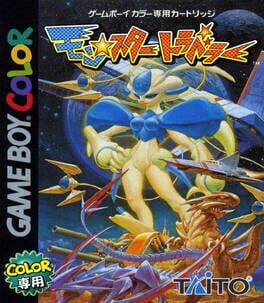
Play Monster Traveler online on GBC. Travel with creatures called Cosmon while investigating ancient mysteries and opposing those who would misuse their power. Exploration and team development share the journey, with training and battles helping companions grow.
Browser play
Game Boy Color (GBC) — EmulatorJS controls
Default Player 1 keyboard mapping. Change keys in Controller Settings.
| Console button | Keyboard |
|---|---|
| ↑ / ↓ / ← / → | ↑ / ↓ / ← / → |
| A / B | Z / X |
| START / SELECT | Enter / V |
Open Controller Settings to configure your keyboard or gamepad. Touch controls are available on mobile.
How to Play Monster Traveler
Quick start
Begin a new game and follow the opening conversations. Use A to speak and inspect, check the first Cosmon in the menus and choose simple battle commands while learning its abilities.
Controls
The D-pad moves and selects commands. A talks, confirms and chooses battle actions; B cancels or returns. Manage companions and supplies through the menu before travelling onward.
Monster Traveler — About this game
Monster Traveler for Game Boy Color. Check the abilities of the current team before moving into another area. A new companion can change available attacks, while a weakened party needs recovery rather than another blind battle. Talking and exploring support the same goal as winning fights.
Cheats
No cheats have been added for this edition.
Player verification and sources
Browser play was reviewed before this edition was published in the catalogue. The date below is the catalogue publication date, not the game’s original release date.
- Browser test and catalogue publication date
- Browsers and devices
- PC: Chrome, Edge and Firefox. Mobile: Chrome on Android and Safari on iPhone and iPad.
- Player engine and core
- EmulatorJS 4.3.0-pre · gb
- Tested by
- rwEmulator
Sources and editorial basis
rwEmulator reviews edition metadata, release information, game manuals and first-hand browser-play notes. Available manuals are linked below; the editorial policy explains how facts are checked and corrections are handled.